You can create a collection of users to group users together and enroll them into individual org units as a group.
Create a user collection and add users
You can create a user collection.
To create a user collection
- From the Admin Tools menu, click Users and then click the User Collections tab.
- Click New Collection.
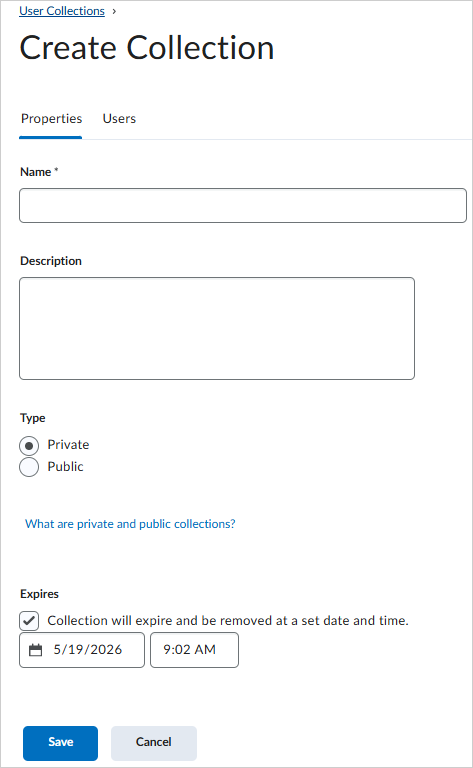
- From the Properties tab, enter a Name and Description for the collection.
- In the Type section, select from the following:
- If you want to make the collection permanent, clear the Expires check box.
- Click Save. The page updates to the Edit Collection page.
To add users to a collection
- From the Edit Collection page, click the Users tab, then search for users.
- Select the check box next to each user you want to add to the collection.
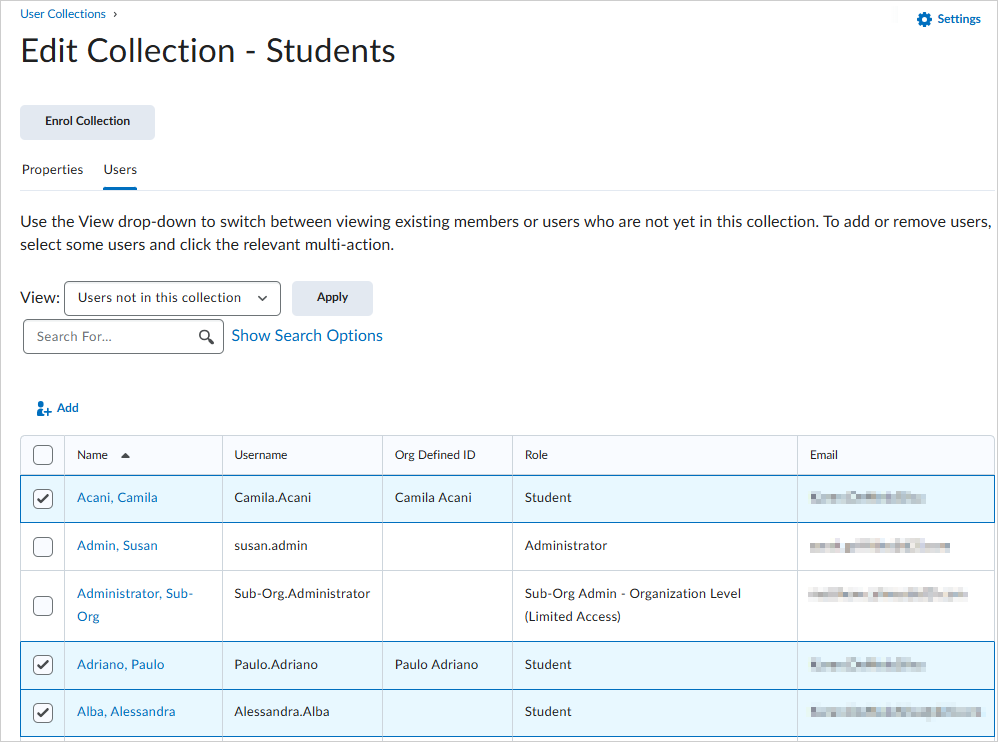
- Click Add.
All selected users are added to the collection.
Add or remove users from an existing collection
Once you have created a collection and added users to it, you can edit that collection to either add additional users or remove users from it.
To add users to a collection
- From the Admin Tools menu, click Users.
- Click the User Collections tab.
- From the context menu for the collection you want to work with, click Add or Remove Users.
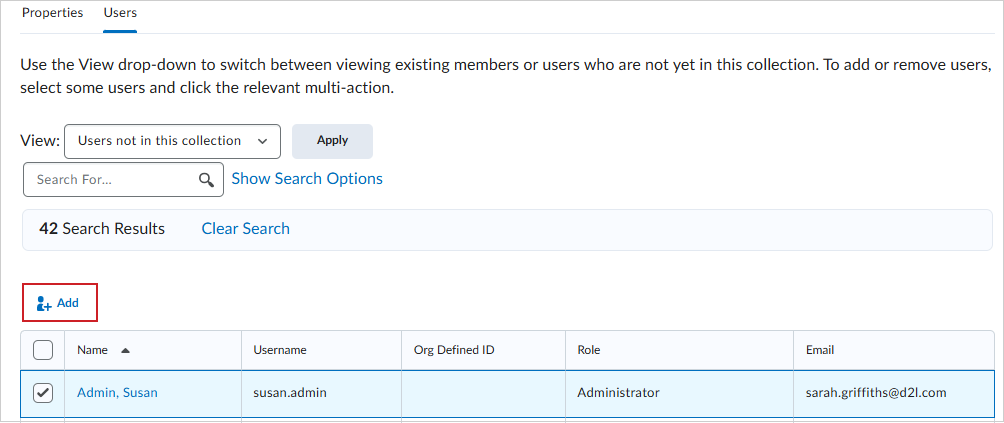
- From the View drop-down list, select Users not in this collection.
- Click Apply. Select the users that you want to add.
- Click Add.
To remove users from a collection
- From the context menu for the collection you want to work with, click Add or Remove Users.
- From the View drop-down list, select Users in this collection.
- Click Apply.
- Select the users that you want to remove.
- Click Remove.
Enroll user collections
When you enroll the collection in an org unit, all users in the collection are enrolled in that org unit in the specified role.
- From the Admin Tools menu, click Users.
- On the Users page, click the User Collections tab.
- From the context menu of the collection you want to enroll, select Enrol.
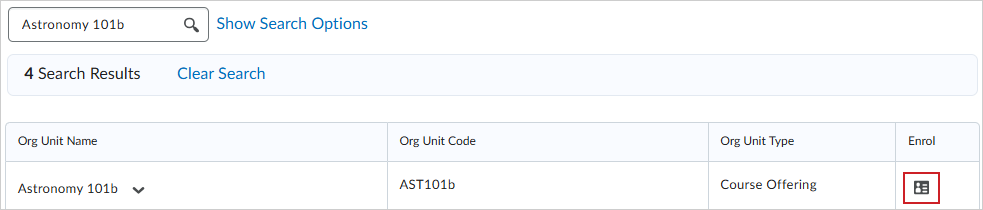
- From the Enrol Collection page, search for an org unit that you want to enroll your collection in.
- Click the Enrol collection icon.
- Select the role that you want to use to enrol your collection of users and click Apply.