From the All Unapproved Evidence page in the Portfolio tool, you can perform bulk actions on multiple pieces of evidence for several learners. For all the unapproved pieces of evidence, you can categorize all evidence, share all evidence with parents, and approve all evidence.
To perform bulk actions on evidence
- Log in to Brightspace.
- From the course selector or course tiles, navigate to your course.
- From the navbar, click Portfolio.
- Click Approve Evidence and do one of the following:
- Click Add Categories and select a category.
- Click More Actions to:
- Share All with Parents/Guardians.
- Approve All.
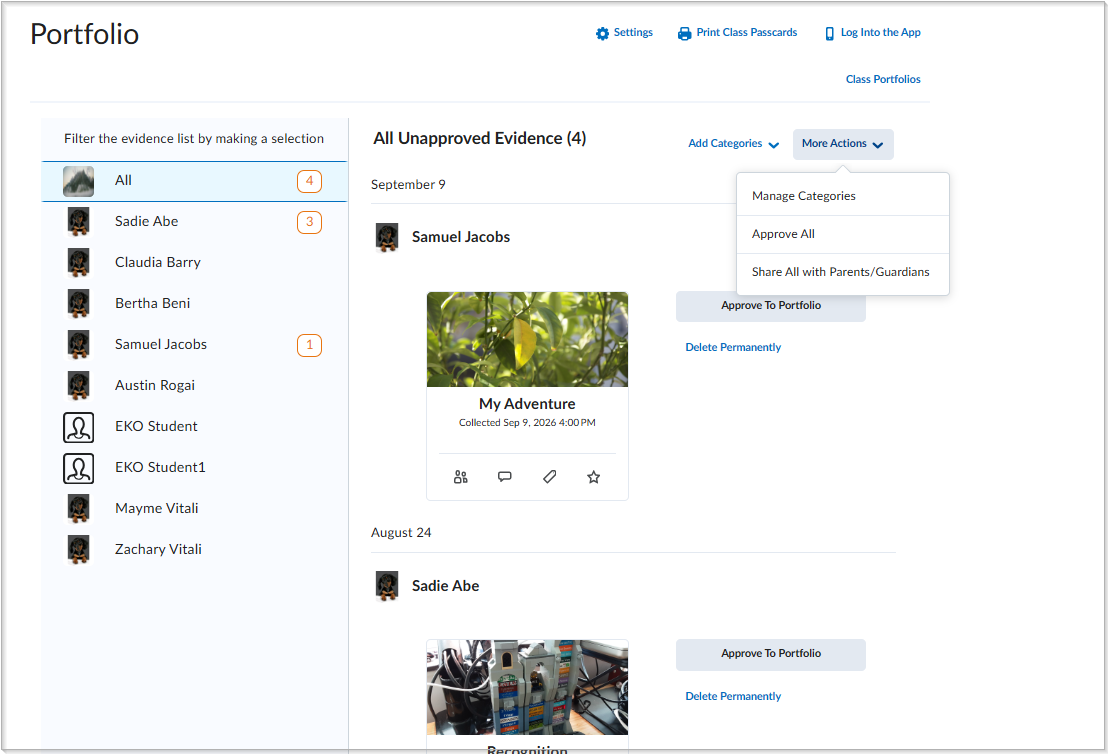
Figure: Bulk actions you can perform on evidence.

|
Tip: When you click Approve All, all evidence is removed from the All Unapproved Evidence page. Perform the Approve All step last if you intend to perform more than one bulk action. |