You can create form templates at the organization or org unit level to gather information from within course modules or topics in Content. Share this form template with other org units to enable users enrolled in those org units to use the form template in their ePortfolios. You can use forms to gather responses from your students. Form responses created by users are then sent to the student's Brightspace ePortfolio for future reference. For example, you can ask students to complete a form response to demonstrate understanding of a particular theory or to gather feedback about their thoughts on the methods used to foster learning, which is then added to their ePortfolio.

|
Note: For more information about Brightspace ePortfolio, refer to About Brightspace ePortfolio. |
Create a form template
You must first create a new form template to use in your organization.
To create a form template
- From your organization homepage navbar, click Course Admin > Forms.
- Click New Form Template.
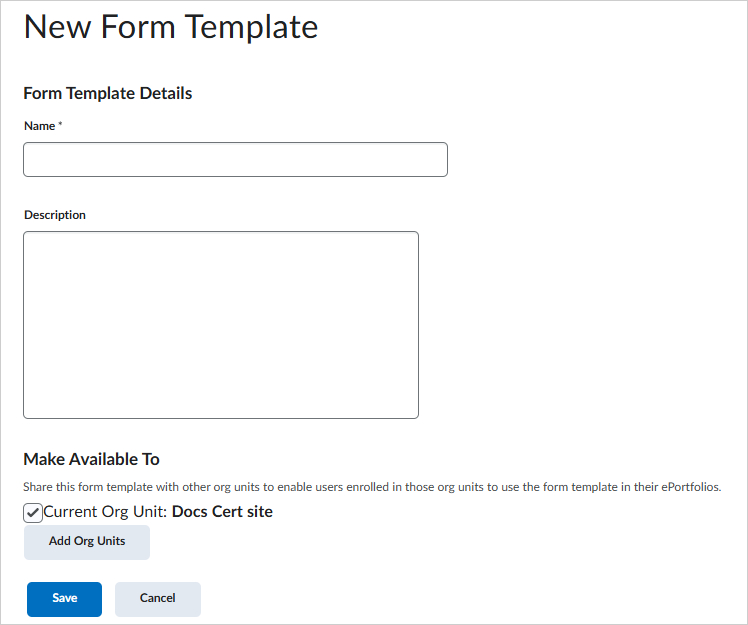
- Enter a Name and Description for your template.
- Click Save.
- From the Edit Form Template Content page, do any of the following:
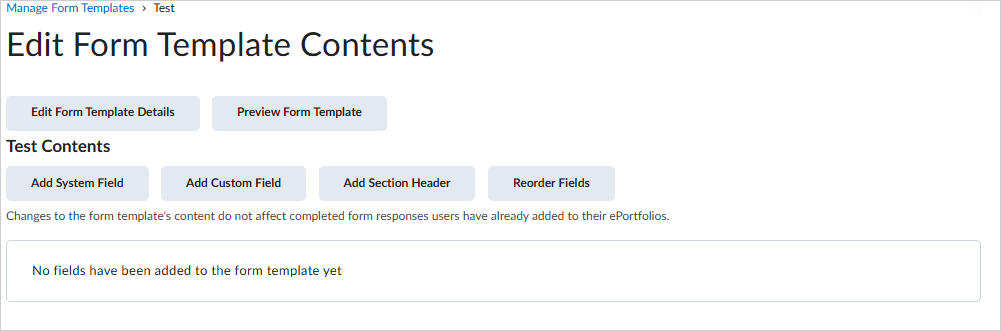
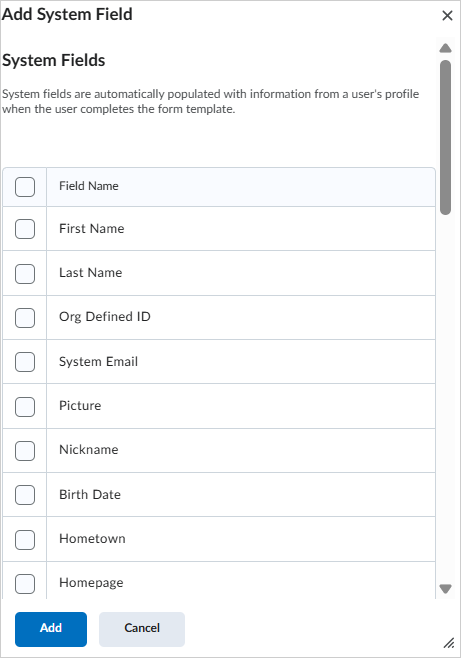
- To add a system field to the template, click Add System Field. Select your fields and then click Add.
- To add a custom field to the template, click Add Custom Field. Enter your field details and then click Save.
- To add a section header to the template, click Add Section Header. Enter your header name and then click Save.
- To reorder the fields in your form template, click Reorder Fields. Use the Sort Order drop-down menus to select the numeric order of fields. Click Save.
Integrate form templates in Content
Once you have created a form template, you can add that template to Content at the organization or org unit level.
|
Note: You can only add form templates that were created at the org unit level or created at the organization level and shared to the org unit level. |
To add a form template to Content
- From your course offering navbar, click Content.
- Navigate to the module in which you want to add a form template.
- From the Existing Activities button, click Form Templates.
- Click the form you want to add.