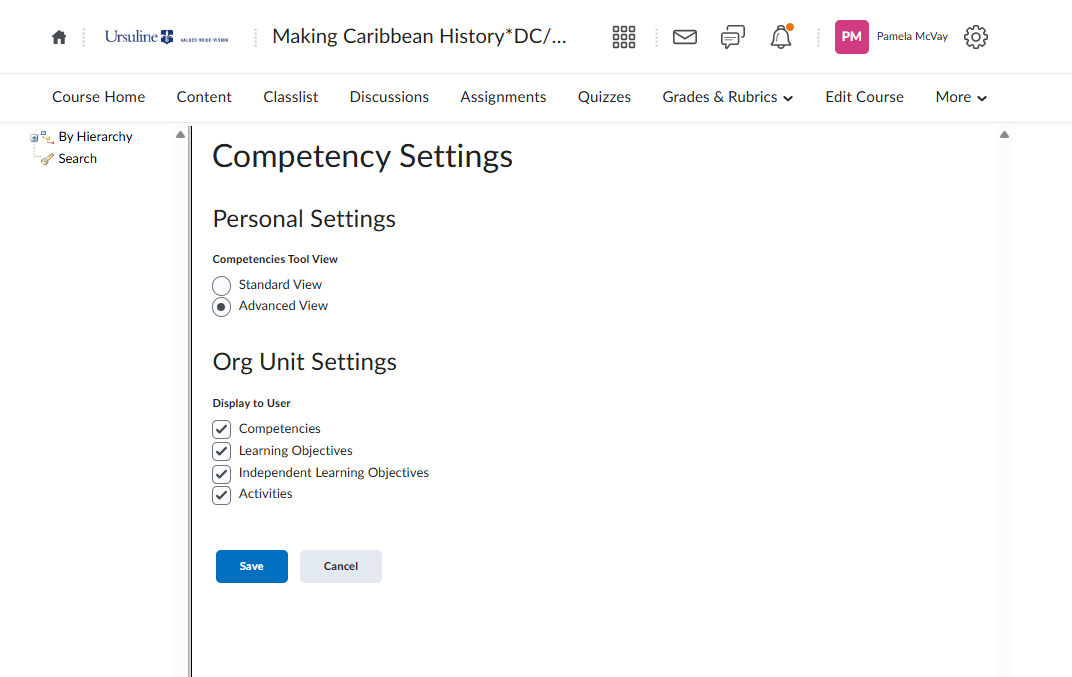
Learners Cannot See Rubrics
We discovered today that students cannot see rubrics attached to discussions or assignments (dropbox). The rubrics are published and marked as visible to students, but they can't see them in the instructions as expected. We've been troubleshooting it for the past 1.5 hours and nothing makes sense or changes this results.
Our version is 20.25.1.18731
Anyone else seeing this?

Best Answer
-
The answer was in students' permission to see competencies. We don't use these, so we don't care whether they are visible, but perhaps we hid them while troubleshooting another rubric issue earlier in the month. Without competencies being visible, rubrics can't be seen — at least in our version.
Answers
-
Hi @Philip.W.864 ,
Thanks for reaching out to the Brightspace Community.
Apologies if you have already checked this, but if the rubrics are published and marked as visible to students, just wondering if you have checked the permission for the particular role at the course offering level "See Rubrics"?
We hope this helps and please reach out if you have further questions.
-
@Douglas.I.860 We did check that. We scoured the permissions to see what could be adjusted to get it to work, even if it didn't make sense. And I believe students could see rubrics earlier this week b/c they noticed when they were missing, but I can't verify that.
-
Hi @Philip.W.864,
Thanks for the follow up. The permission Competencies > "Can See Competencies" must be enabled at the course offering level for users to see rubrics in general - across all tools.
We hope this helps and please feel welcome to reach out with more questions!
Best regards
Miguel.
-
I have this same issue, even though my course is set up to permit students to view competencies.
-
Hi Pamela👋,
Thank you for following up on this matter!
Please note that for users to view rubrics attached to an activity, they must have the appropriate permissions configured in your environment (this may include related Competencies and Rubrics permissions, depending on your setup). However, as of January 2023, the “See Rubrics” permission is no longer required for learners to view rubric feedback. This permission should now be limited to instructor and evaluator roles only.
To help clarify the issue, could you please confirm whether:
- Users are unable to see the rubric within the assignment/activity itself, or
- They are unable to see the Rubrics tool in the Navbar?
If the Rubrics tool is not visible in the Navbar, this would be expected behavior when the “See Rubrics” permission has been removed. As mentioned, this permission should typically be restricted to instructor and evaluator roles.
The intended workflow is for learners to access and view the rubric directly within the associated activity. If users are unable to see the rubric from within the activity, this may indicate a separate issue. In that case, I would recommend reaching out to your internal Helpdesk or IT team so they can contact us directly. We would then be happy to review the issue within your environment for further troubleshooting.
For additional reference, please see the following article: Rubrics permissions - Brightspace
Please let me know if you have any further questions.
Kind regards,
- Isidora