Best Of
Re: Pulse app functionality
Hi Ryan,
Thank you for asking this question. I understand you are a new user.
The Brightspace Pulse app is a mobile companion to the Brightspace learning management system (LMS), designed to help students stay organized, connected, and on top of their coursework. It’s available for both iOS and Android devices.
What the Pulse App Does
Brightspace Pulse provides:
- Real-time updates on announcements, grades, and course content
- A unified calendar view of all your courses
- Reminders for upcoming assignments, quizzes, and deadlines
- Access to course materials like readings and evaluations
- Push notifications for changes like class cancellations or new grades
How to Use the Brightspace Pulse App
Here’s a step-by-step guide:
- Download the App
- Available on the App Store and Google Play.
- Log In
- Open the app and tap Get Started.
- Search for your institution (e.g., "University of Waterloo").
- Log in using your school credentials (often via Single Sign-On).
- Explore the Dashboard
- View a weekly schedule of upcoming tasks.
- Tap on any item to see more details or access the content.
- Access Course Content
- Navigate to your courses to view readings, assignments, and announcements.
- Some content may open in your mobile browser.
- Submit Assignments
- You can upload files or photos directly from your phone to assignment folders.
- Stay Notified
- Enable push notifications to get alerts about due dates, grades, and announcements.
- Customize Your View
- Add personal events, filter by course, and adjust settings like the start of the week.
Helpful Video Tutorials
- Brightspace Pulse App Overview (6 min)
- How to Use Brightspace Pulse (2.5 min)
- Navigation and Features (3 min)
—
Let me explain the question you asked:
The Brightspace Pulse app is primarily designed as a companion app, not a complete replacement for the browser version. Its main strengths are:
- Viewing upcoming deadlines
- Receiving notifications
- Checking grades and announcements
- Accessing some course content
However, it does not support full course navigation or interaction like Canvas. When you try to access certain features (like "Current Classes"), it redirects you to the mobile browser version of Brightspace, which can feel clunky and inconsistent.
Tips to Improve Your Experience
Here are a few ways to make the most of the Pulse app:
- Use Pulse for Quick Checks
- Stick to checking due dates, announcements, and grades.
- Use it as a notification hub rather than a complete course portal.
- Use a Mobile Browser for Full Access
- For tasks like submitting assignments, participating in discussions, or viewing complex content, use a browser like Chrome or Safari on your phone.
- You can bookmark your institution’s Brightspace login page for quicker access.
- Enable Notifications
- Go to the app’s settings and turn on push notifications for announcements, grades, and due dates. This is where Pulse shines.
- Stay Logged In (If Possible)
- Unfortunately, some institutions have strict Single Sign-On (SSO) policies that log you out frequently. If your school supports it, enabling "Remember Me" should help, but it’s unreliable.
- Try the Desktop Site on Mobile
- If the mobile version is too limited, you can request the site's desktop version in your browser settings. It’s not perfect, but sometimes more functional.
I hope this information will help.
Thank you,
Furkan

Re: Release Notes Updates
The August 2025/20.25.08 Preview Release Notes are now live and ready for review!
Please note that this is only a preview for the upcoming Brightspace version, which we will begin rolling out on August 7, 2025.
All features described are subject to change before then.

Unit header
Hello everyone!
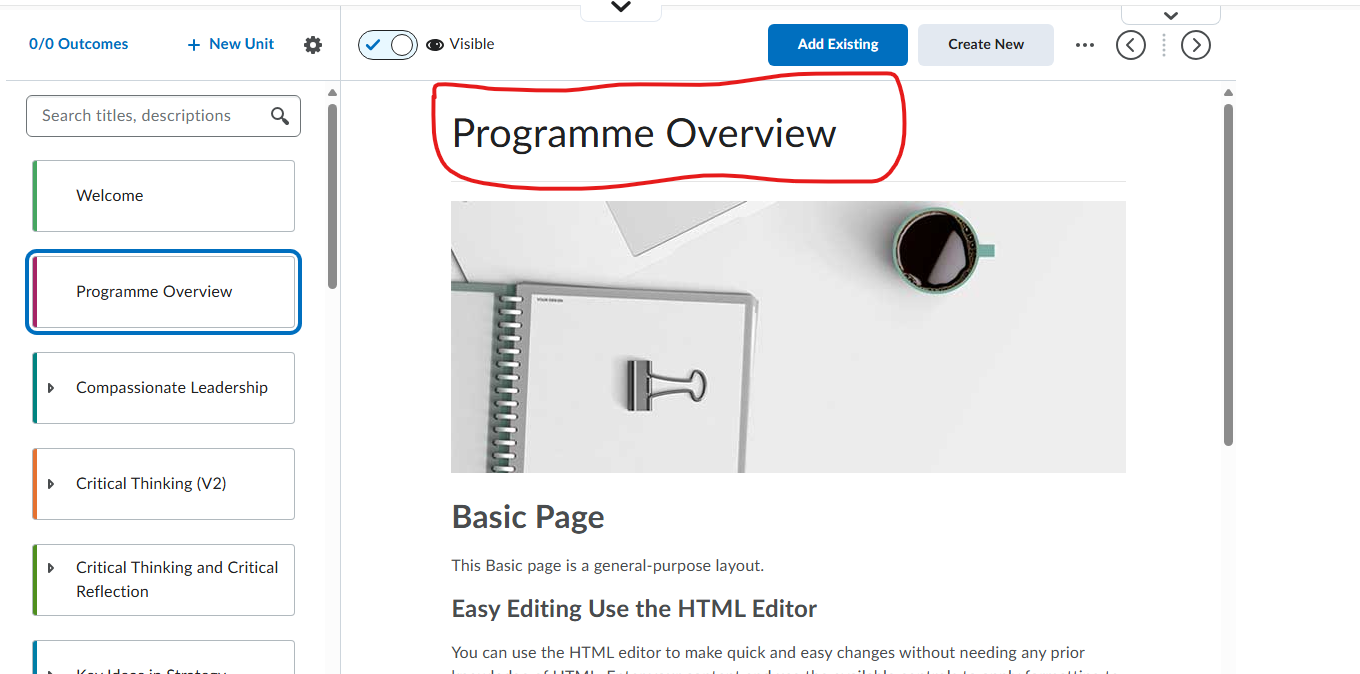
I'm trying to find out if there is a way to be able to amend the 'unit' title? ideally we want the title to be in a coloured banner but changing the font colour would also be an option. Using this to illustrate as an example; the 'Programme Overview' would be in a blue banner. I've tried copying source HTML code but that just alters the content underneath. this wouldn't be at an org level - just a course level

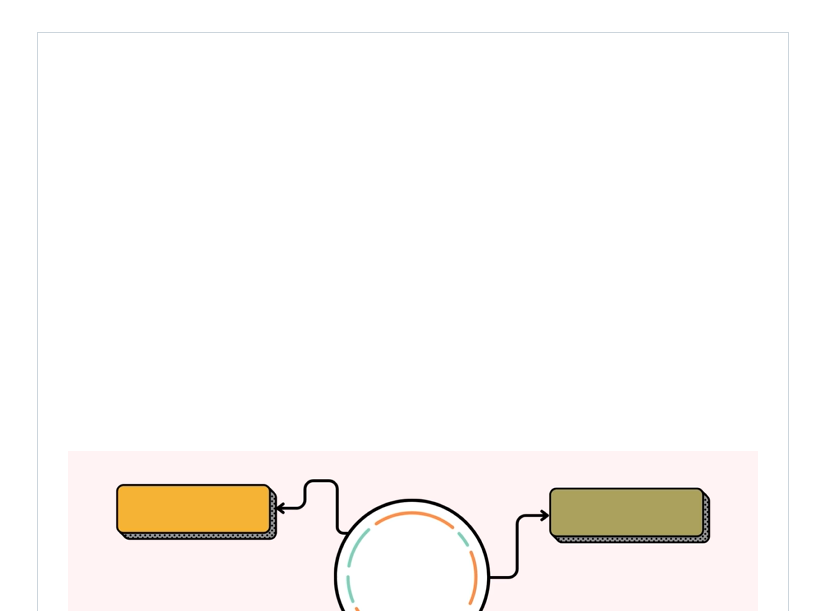
I am getting a space above an Mp4 clip I added within an HTML page - created on canva.
I am getting a space above an Mp4 clip I added within an HTML page (after saving the page) - please advise on how I can remove the white area.

Re: Fixed Issues List Updates
A new version of the fixed issues list has been published.
There following items were added.
- Reference: 02200096
Widgets - Custom widgets may show a Bad Request error. - Reference: 02192446
NCE > Next/Previous Buttons stop working under certain conditions. - Reference: 02196343
New Content Experience > Enhanced TOC not allowing users to drag and drop files into the list of topics - Reference: 02200680
New Content Experience > Inline Activities > Some language terms are not translated

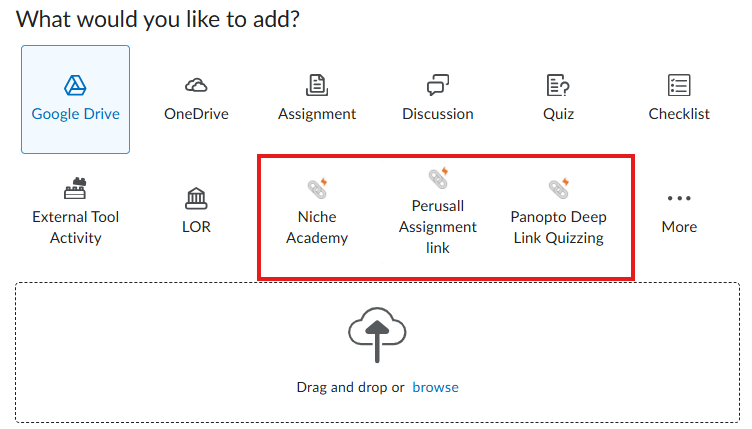
Is there a way to manage which External Learning tools appear within the "Add Existing" page?
In the New Content Experience, when you select "Add Existing" a page opens that looks like the below. I'm wondering if there is any way to change which tools appear as the "top 3" on this page. We have very few faculty members who use Niche Academy and Perusall, but many who use our other external learning tools. It would be beneficial to them if I could "swap" the tools that appear here so that they do not have to click into "More" and then look for the tool.

completion tracker
i have activated completion tracker but it does not reflect in the reports

Re: Has anyone had success connecting GitHub Classroom's LIT with D2L?
Hi @Mike.D.1609 and @Rachel.S.639
grateful to you both for your posts here and to Denise as well!
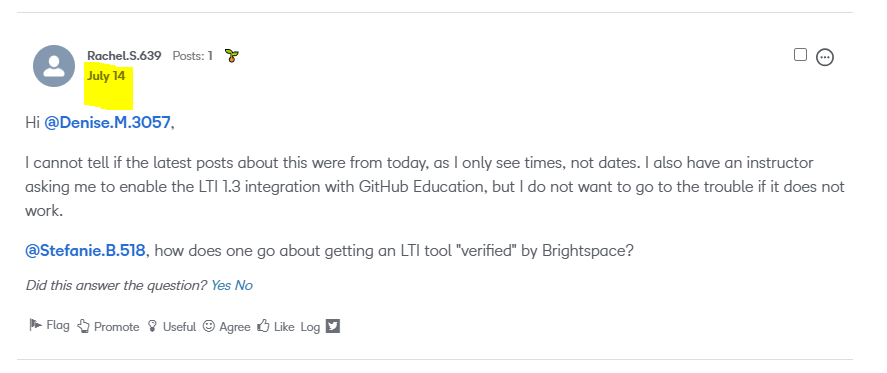
In the Community, each post will show a date stamp, or a time stamp when the update has happened that day. The date or time stamp should display following each Community Members name.
In your post, I can see that you replied here yesterday, July 14th.
From what I can tell, the verification must be completed by D2L and GitHub specifically. I've followed up with our Product Team to ensure they're aware of the growing interest in this type of verification for Brightspace.
I've connected with your Account Team here at D2L to also let them know about your interest in using this tool and to help gather more information on how/if this tool can be integrated with your Brightspace instance and/or if there may be other Brightspace Partner Solutions that may meet your requirements.

Re: Accessibility report animation
I don't mean to be rude, but those symbols are showing that your content is not accessible to users with disabilities. The best way to get them to go away is to create and choose accessible content.

Intelligent Agents Frequency for 'not completed an attempt'
Do I need to set a Frequency for an Intelligent Agent to run when the criteria is 'Has not completed an attempt on the quiz', or will it run automatically when the quiz end date is reached?
