Best Of
Best Practices for SCORM File Management During Course Copying?
Hi D2L Community,
We're troubleshooting SCORM file management & data reporting in Brightspace and are looking for some insights into your practices.
Currently, we copy entire course sites, including SCORM files, each semester. We've recently learned that this process causes SCORM data records to accumulate within the same dataset over time. As a result, the out-of-the-box SCORM Report can no longer display the data due to the sheer volume.
To help us improve our processes, we're curious about the following:
- When setting up new course sites, do you copy content (including SCORM files) from a previous semester's course, or do you re-upload SCORM files individually for each new course site?
- Do you rely on the out-of-the-box SCORM Report in Brightspace, or do you create custom dashboards using extracted data to track learner completion?
Thanks for your input!

Re: How do you setup quizzes that require mathematical calculations?
Hi Yi,
One possibility is to enable the HTML editor for the written response, allowing students to insert their calculations using the graphical equation tool.
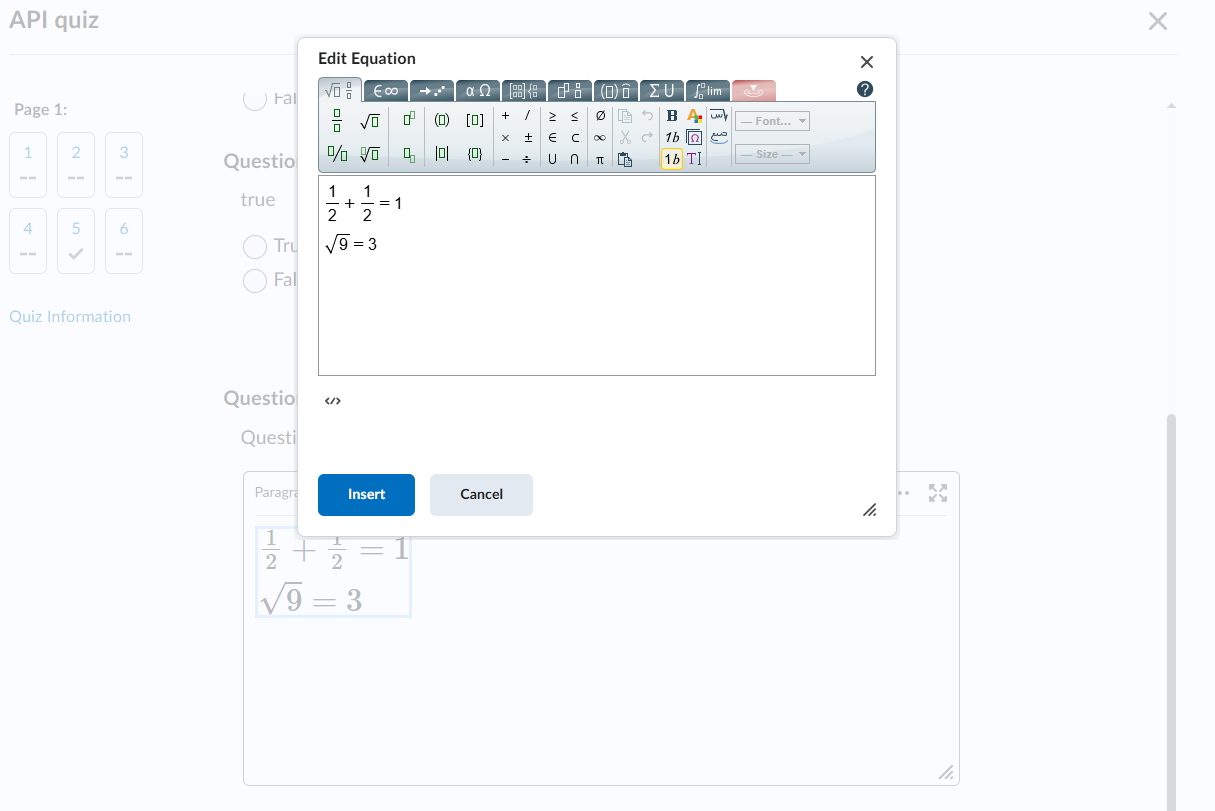
However, depending on the length of the calculation, this approach might not be feasible.

Re: User engagement tracking
Hi @Andy.F.437,
Thanks for reaching out and sharing your experience, it’s great to hear you’ve been exploring Google Tag Manager with some support from SNHU!
While GA and Tag Manager are definitely popular tools for user engagement tracking in Brightspace, you're not alone in wondering about alternative approaches. I’d recommend checking out our Data and Analytics Group here in the Community. It’s a great space to connect with other practitioners who are diving deep into learning analytics, reporting, and tools. You might even find others who’ve tried different methods or are further along in their implementation journeys.
Let us know if you need help getting connected in the group and thanks again for contributing to the conversation!

User engagement tracking
One of our Instructional Designers would really like to know more about how users are interacting with the content and materials in her courses. The current tools we have, like Insights and Content reports, are very high-level and do not get to the in-page level tracking. Has anyone tried doing much more active/granular user interaction reporting with a 3rd party tool or Google Analytics/Tag Manager?

Creating Semester and Course Master Database
Hi,
I want to create course names and then map those courses in the semester being offered. For example, a course Design Methods is offered in Fall 2025 with 6 sections while it was offered with four section in Fall 2024. Can I get a reference document helping me to navigate creation of courses, semesters, mapping courses depending on the semester being offered and creating section under that semester.

Who clicked "Like"?
Is there any way we can see who liked a particular page on the Community Corner…in the same way as we can on Social Media platforms like Facebook, Instagram, etc.?

Re: Who clicked "Like"?
When I click "Like" on my own posts, I see this:
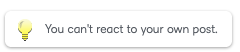
What I would like to see is who has liked my post and who specifically shares my interests/concerns.
Re: Who clicked "Like"?
Hey @Mike.B.559, thank you for reaching out!
At this time, our Community doesn't show who specifically clicked Like on a post. But we really appreciate the suggestion and will keep in mind as we continue improving the platform!
Let us know if you have any other questions!

Re: Who clicked "Like"?
I would certainly recommend it. If the goal of Community is to build community, it would be useful to know who supports the same ideas as you do. On a related note, I've mentioned it before but it would also be useful to have some continuity in userID's between Community and BrightIdea. As it stands, I am Mike Barker on the PIE and Mike.B.559 on Community. I just checked and, even though only 5 show up by default, there are currently six Mike.B possibles to choose from. So, absent the icon, it's not easy for others to reach out to me. I realize they are built on two separate platforms but the disconnect makes bit challenging to know who's who…and therefore how to get in touch with each other across platforms.
Re: Who clicked "Like"?
Hi @Mike.B.559
Thanks so much for your thoughtful feedback, Mike! We completely agree, building a sense of connection is key to fostering a strong Community, and knowing who supports the same ideas (and being able to easily find each other) is an important part of that. We're working with our Community vendor to see what changes may be possible to better support users in seeing who has liked posts across the site.
We’ve shared your comments with the PIE team and have flagged the issue around username continuity and discoverability- but at this time while those tools remain in 2 platforms as you noted, we're not able to support a single tied username across both platforms. We really appreciate you raising this, and we’ll continue to partner across these team to keep the conversation going on ways to make the experience more seamless across platforms.
Thanks again for helping us improve the Community!