Has anyone been successfully able to import MyOpenMath's pre-made items into Brightspace?

We have been working with our Math department to see if we can convert an .imcss file into a .cvs file with the MyOpenMath pre-made items. As MyOpenMath does not currently have an LTI integration, we are open to ANY ideas.
Thanks for your help!
Answers
-
I misunderstood the instructor. They were wanting to use Respondus Lockdown Browser with the MyOpeMath's LTI integration. Has anyone done this?
-
Hi @Jane.O.1385!
Thank you for reaching out to the Brightspace Community!
Considering that Respondus LockDown Browser “locks down" only the Quizzes tool in Brightspace and not External LTI tools and prevents navigation to other sites or applications, the launching of the MyOpenMath, which may occur outside Brightspace, may not be locked down or controlled in the same way as in native quizzes created in Brightspace.
Therefore, if the instructor wishes to use MyOpenMath’s native assessments, the Respondus LockDown Browser may not secure external LTI tools in case the assessments launch externally.
We hope this helps, and please feel welcome to reach out with more questions.
Best regards
Miguel B,
-
Thank you for this reply!
Here is the follow up question: when we tried to import the quiz as an .imscc file in the question library, into her files, and in the LOR. It wasn't readable.I've tried to find a converter for .imscc to .cvs file upload, but I've had no luck. Other than hand keying in all the questions, do you have any other suggestions on how the instructor can import the quiz into Brightspace?
-
Hi @Jane.O.1385👋,
Thank you for following up!
Brightspace supports
.imsccfiles based on the IMS Common Cartridge standard, including all supported versions of the format. However, the import and conversion process relies on source-specific plugins for recognized LMS platforms (such as Canvas, Schoology, Jenzabar, etc.).In practice, this means the following:
- If MyOpenMath exports a clean, standards-compliant Common Cartridge (
.imscc) package, it should be possible to import it through: Course Admin → Import/Export/Copy Components → Import Components
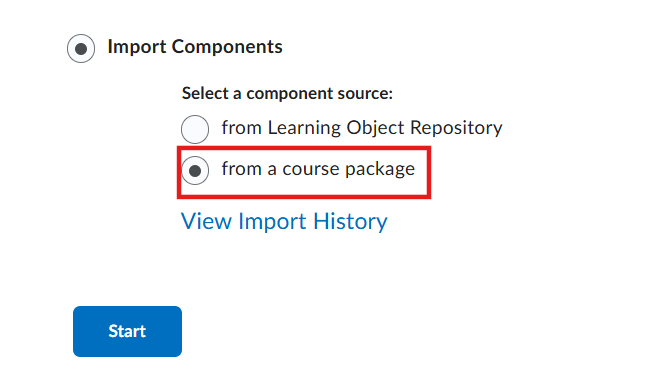
- However, if the exported package contains proprietary extensions, non-standard XML, or deviations from the IMS specification—which is fairly common, even among major LMS platforms—the generic Common Cartridge converter may not process the package correctly. This could explain why the quiz content is not importing as expected.
Since MyOpenMath is most commonly integrated through LTI, another option would be to configure it as an external LTI tool, so quizzes are launched directly from MyOpenMath rather than imported into Brightspace. That said, based on your original requirement, this approach would not support LockDown Browser.
To investigate the import issue further, I would recommend opening a support case so we can review the package structure and confirm whether the format is fully supported or if there are any issues with the exported package itself. Kindly reach out to your Helpdesk to have one initiated.
We hope this helps, and please feel free to reach out with any additional questions.
-Isidora☺️
- If MyOpenMath exports a clean, standards-compliant Common Cartridge (


