Microsoft Teams Videos

Created learning modules by uploaded videos created in Microsoft Teams using the Media Library and "optimize for streaming." While the videos play and can be paused users can’t fast-forward, which is a problem for learners who only need to review specific sections of the video. Additionally, videos created as a new unit support pause, rewind, and fast-forward, but when uploaded as a module within a unit, this functionality is does not work.
Answers
-
Hello @Lynnette.B.1714, thanks for your first question, and welcome to the Community!
To make sure that I'm checking correctly, are you referring to the progress bar within the video to move forward or back (see below, highlighted in red)?
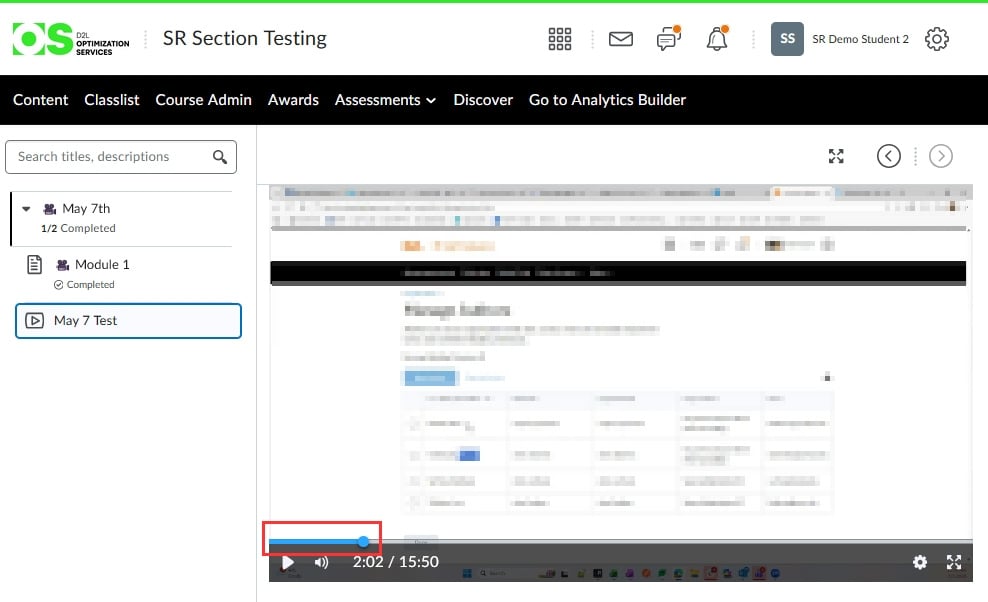
I did try some testing by uploading the above video to the Media Library and then optimizing it for streaming as you also did, but I haven't been able to reproduce the issue as you are (assuming I'm looking at the correct area).
Could you perhaps attach an image of what you do see? Please also feel free to send me a direct message if that way is better for you.
Thanks!
~Stephen -
One of my team members uploaded a recorded Microsoft Teams meeting and is able to pause, rewind, and fast‑forward the video. However, she created new units for each exercise.
I created a video course as a new unit instead of adding it to an existing unit, but I still wasn’t able to pause, rewind, or fast‑forward the recording.
See the attached image.
Thanks,
Lynnette
-
Hi @Lynnette.B.1714, thanks for sharing.
I tested a few videos adding them to the Unit main page from the Media Library and as well as uploading it as a Video Note, but I'm not able to prevent the controls from showing for me.
If you click on the cog next to your name, open the Media Library, and view the video from inside the Media Library itself, are you able to move ahead or back in the video and pause it?
~Stephen
-
I can pause the video in the Media Library, but I am unable to move ahead or back in the video. Also added a Microsoft Teams video using Video Note and the video was unable to move ahead or backwards. Do you have any other suggestions?
-
Hello @Lynnette.B.1714, thanks for being so patient with all my questions to try and sort this out.
Since you're still seeing the concern from within the Media Library, I would suggest having a case opened with our Support team who can investigate further and look directly in your system and at the file.
My apologies for not being able to help you sort this out, but I'm sure our wonderful Support team will be able to.
If you have any questions please just let me know.
~Stephen

