Feedback Showing on Brightspace Quizzes
I am wondering if Brightspace changed a setting recently on quizzes? I have the setting enabled for a quiz where students have 2 attempts - my goal is that they review their incorrect questions with their text/notes then retake the quiz, but it is showing them the question feedback provided for faculty grading after they take their attempt. Why is this feedback showing up? Is there a way to disable the feedback showing? OR will feedback attached to a specific question always appear?
Thank you in advance for any insight!

Best Answer
-
Hello @Marc.V.406, thanks for your question!
Are you working with quiz questions such as multiple choice/true or false?
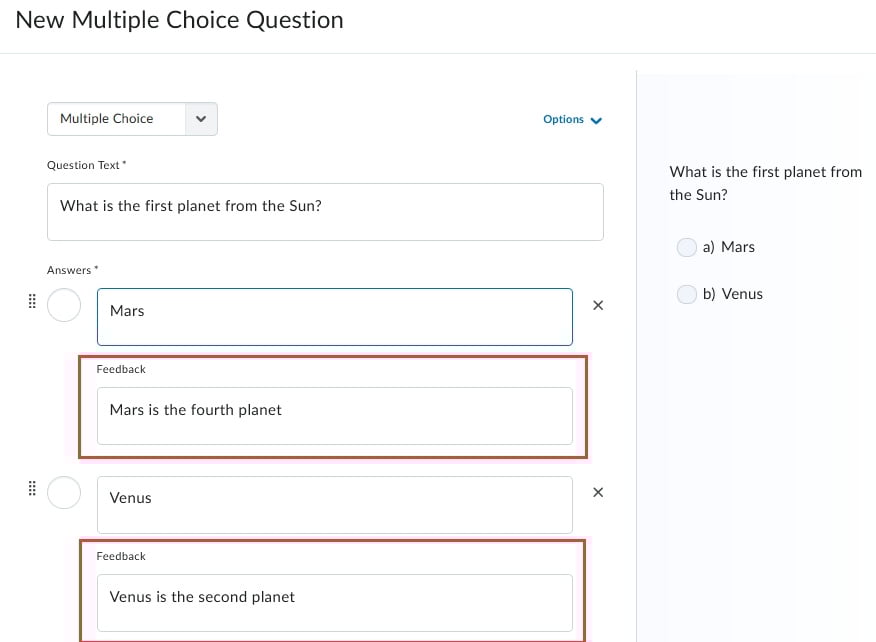
With these question types, feedback added for individual answers will always show if questions are displayed once a learner submits their quiz. Feedback for these questions is intended specifically for students, to help them improve with questions they do get incorrect.
As an example, the feedback within the red box below would be displayed to learners after they submit their quiz:
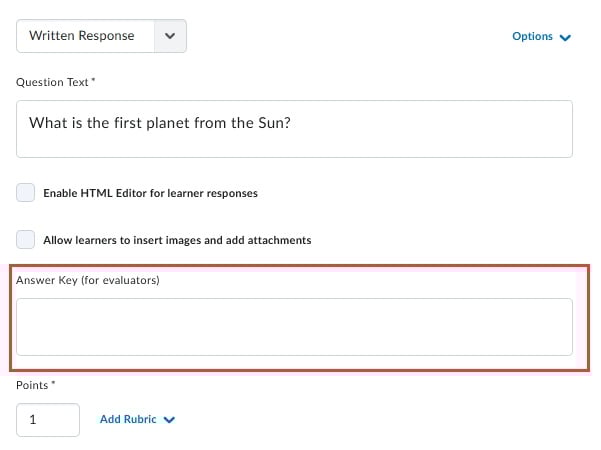
We do have an answer key field within the written response question setup, which wouldn't show to learners following their submission, but remains available for grading reference:
Hoping this helps! If I may clarify anything just let me know.
~Stephen
Answers
-
Thannk you @Stephen.R.50 , what about for ordering question types? There is an option to include feedback for those. Does that feedback always appear for students? And would it still appear if the setting for showing students "incorrect answers without correct answers" is enabled?
-
Hello @Marc.V.406,
You are most welcome!
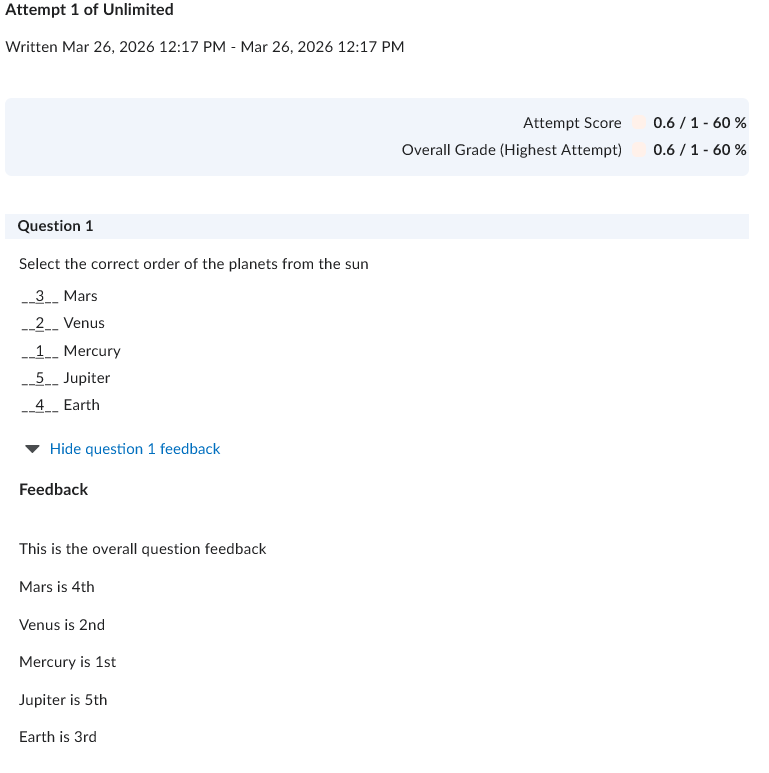
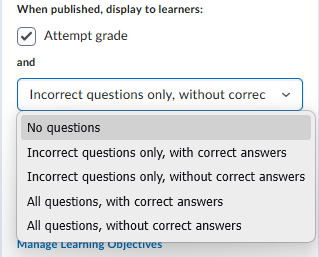
I just ran a test for the ordering question-type and can confirm that the feedback does appear when you have "Incorrect questions only, without correct answers" set for your display option. Here's how it looked for my test:
The "this is the overall question feedback" test comes from the Question Feedback field when setting up the question, while the "Mars is the 4th", etc., comes from the individual value feedback fields, in order of how they were displayed while taking the quiz.
To fully check everything, I refreshed my display with all five options enabled, and the only time feedback wont appear is if it's set to "No questions"
~Stephen