How do I access the Product Idea Exchange? When I click on the link I get a notificatin that the quicklick is unavailable.
Hi @Pamela.H.6466
It does seem that you might need to update you Community profile to access PIE. If your school or organization is using Brightspace, you can access these resources, but will need to update your Community profile using the following steps:
1. Login to the New Community site 2. Select your profile from the navigation bar and select “Account & Privacy Settings”
3. Select the link to update your personal information
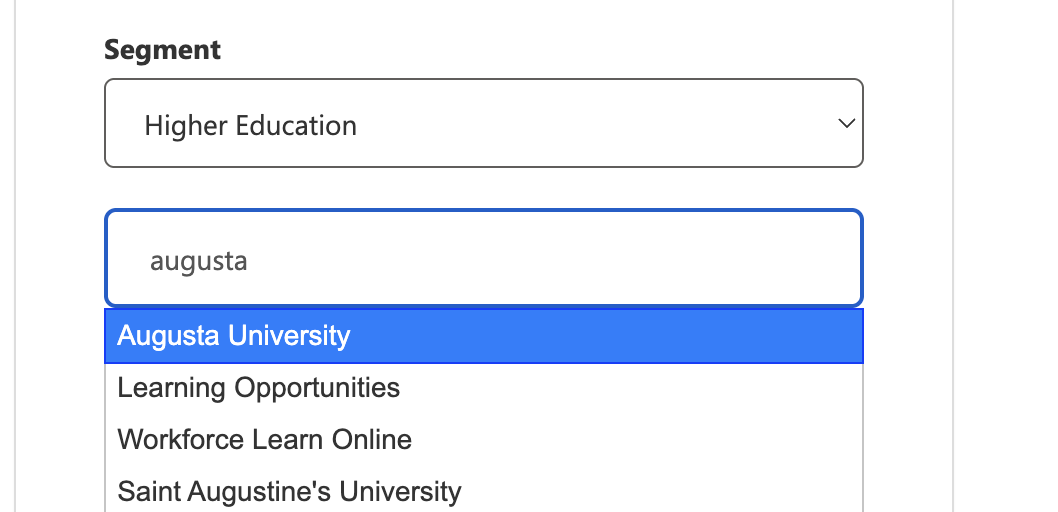
4. Confirm that you have selected an organization from the drop down menu.
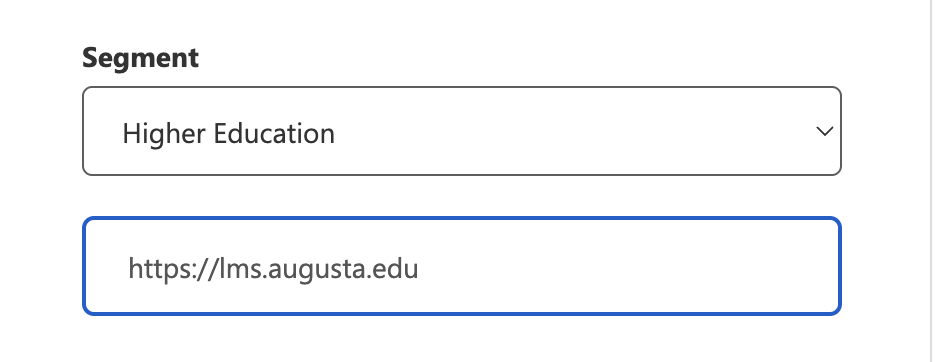
Note:If you have typed in an organization, you will not be able to connect to the D2L Academy or PIE.
This can be confirmed by checking to see if the "Organization Name" input field now displays your organization's domain.
5. Select Continue
6. Select the Product Idea Exchange/ or D2L Academy link from the Quick Links Widget on the Community homepage.
7. If you complete these steps and are still unable to connect to the D2L Academy or PIE, please reach out to questions@community.d2l.com
Connect with our Known and Fixed Issue information to learn about improvements made to Brightspace.
Connect with leaders in pedagogy, accessibility, learning experience design and more
The Accessibility category serves as a single point of access to three avenues in Brightspace Community leading to the Accessibility Academy, Accessibility Library and Accessibility Discussions. These avenues offer courses and articles about accessibility to enhance accessibility knowledge and a group of accessibility enthusiasts to stay connected with.
Have questions about how to use Community? Stay tuned with updates, feedback opportunities and more for the Community here!
Connect with and ask questions on how to best use the Brightspace Product to transform the way your users learn!
Connect with product experts to learn more about tools frequently used by Brightspace Developers such as APIs and integrations!
Want to learn more about Brightspace Partners and Integrations? This is the place to be!
Stay up to date with product updates and announcements in this category.
Connect with our release information to learn about monthly improvements and updates to Brightspace.
Learn more about all the upskilling opportunities with courses and resources offered via the Brightspace Learning Center, Brightspace Guided Training and other training opportunities!