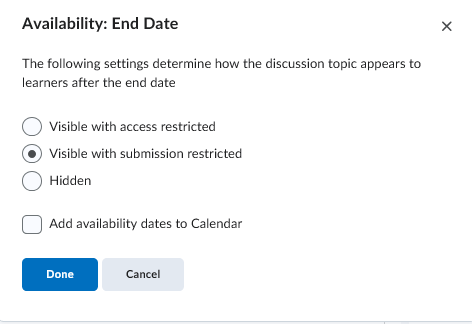
Use case: I want to use a Topic to publish “read‑only” Threads to learners. The Topic shouldn’t show a Start a New Thread button, and learners must be able to view historical threads but not post or reply.
Research: I noticed that setting a future Start Date in Edit Topic > Availability hides participation options, but it also shows a “Starts future_date” banner to learners, which looks odd.
Question: Is there a way to lock a Topic so all Threads are read‑only without changing Start/End dates or altering overall Permissions? I still want learners to participate normally in other Topics/Forums within the same course.