Best Of

Re: Any ideas on how to email >3000 recipients?
Hi again @Stephen.R.50 Can you confirm that intel. agents have the same limit? (3000).
Re: Bring Back Crtl+F Browser Search
Hi @christopher.houghton@stonybrook.edu
Thank you for taking the time to share your feedback. I understand how impactful this change is, especially when working with a large number of grade items.
The behaviour you’re experiencing is related to the recent updates to the Grades tool (released February 2026), which introduced a new table structure and navigation experience. As part of this update, the page now uses a different rendering approach, which can affect how browser-based tools like Ctrl+F interact with the content.
At this time, this is expected with the updated experience and is not something that can be reverted. The change was introduced to support improvements such as:
- Addressing long-standing issues within the Grades tool
- Improving accessibility and navigation
- Aligning the Grades experience with other areas of Brightspace
You can read more about these updates here: February 2026/20.26.02 - Brightspace
I understand your concern around efficiency, especially when managing a high volume of grade items, and your feedback about navigation and search is valid. While Ctrl+F may not behave as it did previously, a few options that may help in the meantime include:
- Using the left/right navigation arrows within the Gradebook
- Using Shift + scroll (or a two-finger horizontal swipe on a trackpad) to move across columns more quickly
I’ve also shared your feedback with your account team for visibility.
Thank you again for raising this,
Carolina A.

Re: Any ideas on how to email >3000 recipients?
I expected you'd already considered this! Hopefully some others will weigh in 😊

Re: Any ideas on how to email >3000 recipients?
Thank you @Stephen.R.50 Yes, I have considered using sections, and it is probably the only way to go. I just wanted to makes sure that we did not miss out on something clever that required less work ;-)
Re: Alphabetize option in a question library section?
Hi @Angela.Y.5462,
Thank you for reaching out through the community!
I looked into your question about sorting questions alphabetically in the Question Library, and currently, this functionality isn’t available as a standard feature. It has been identified as a PIE (Product Idea Exchange) request - https://desire2learn.brightidea.com/ideas/D2671.
You can visit the Brightspace Community Idea Site (requires login) and upvote the request so it can be considered by the development team for future updates.
Thanks,
Sangeetha

Re: Assignments and release conditions
Hi austinch@hdsb.ca,
An option to consider is to use a Grade Item as an additional release condition:
Create a grade item such as 'Activity Completion' or similar. Attach 2 release conditions to the 'reflection/assignment', with the 'Any condition must be met option' selected:
- Submission into the 'pervious assignment' condition
- Grade value of a grade item → you manually add a grade value when required to this
If release condition 1 has not been satisfied by the learner, you can manually enter a grade value for 2. The release condition for the next assignment/activity is met.
Hope that helps!

Re: broken images-- fix no longer working
Hi Chelsea.F.3558,
Try the following:
- Edit the homepage widget and remove the broken image
- Reinsert the image using the Brightspace Editor image tool, rather than pasting or editing the URL manually
- Make sure the image file is stored somewhere users being presented the widget have permissions to access:
- for a course homepage widget, upload/select it from that course’s Manage Files area;
- for an org-level/shared homepage widget, store the image in a shared/public files area rather than a course’s Manage Files area
- Save the widget and test as a learner or another role, not only as an administrator.
The most common cause is that the widget image is pointing to a file location that the user cannot access. This can happen after course copy, homepage/widget copy, or some other event that stops Brightspace resolving the image path/file location.
Hope that helps!
Re: Quiz - custom feedback based on overall score
Yes, it is possible to automate this process without using Intelligent Agents within the quiz itself. One way is through displaying different submissions/reports depending on their total quiz score. Those who will have scored 80% and above may receive feedback from the quiz stating their outstanding performance and should attend an advanced tutorial group. Meanwhile, those whose scores fall in between may be encouraged to continue developing their knowledge and skills, while those who did poorly on the quiz may need further assistance. By creating score ranges and assigning feedback for each score, one may allow the quiz to give a suitable response to each individual.

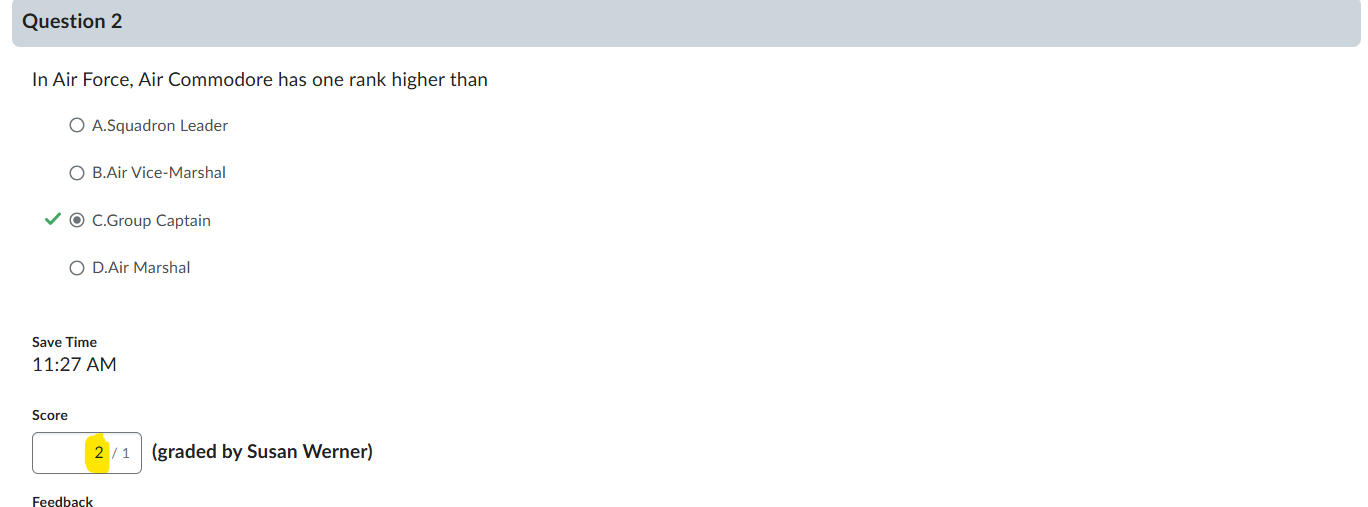
Re: How to change quiz question score after attempts?
This should work:
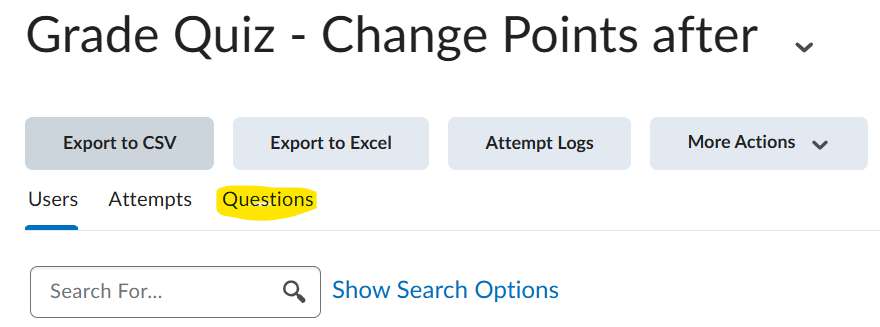
Select the drop down beside the Quiz, and select Grade.
Select Questions
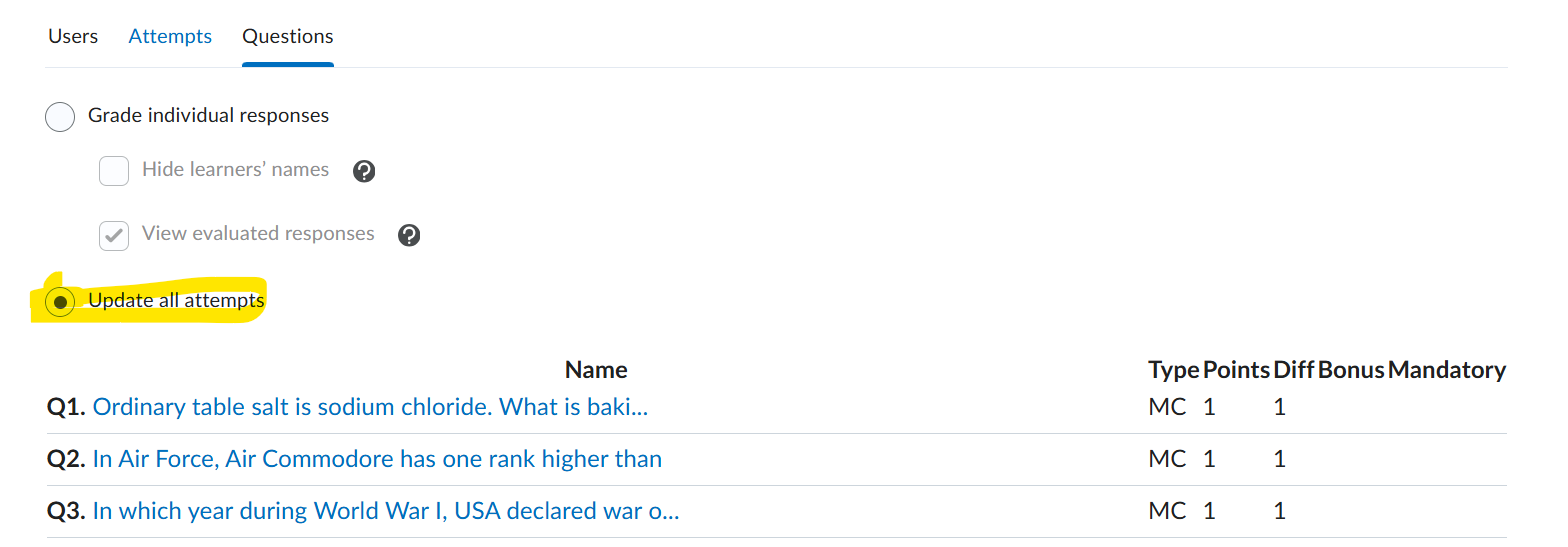
Select Update All and select which of your questions requires the point change underneath
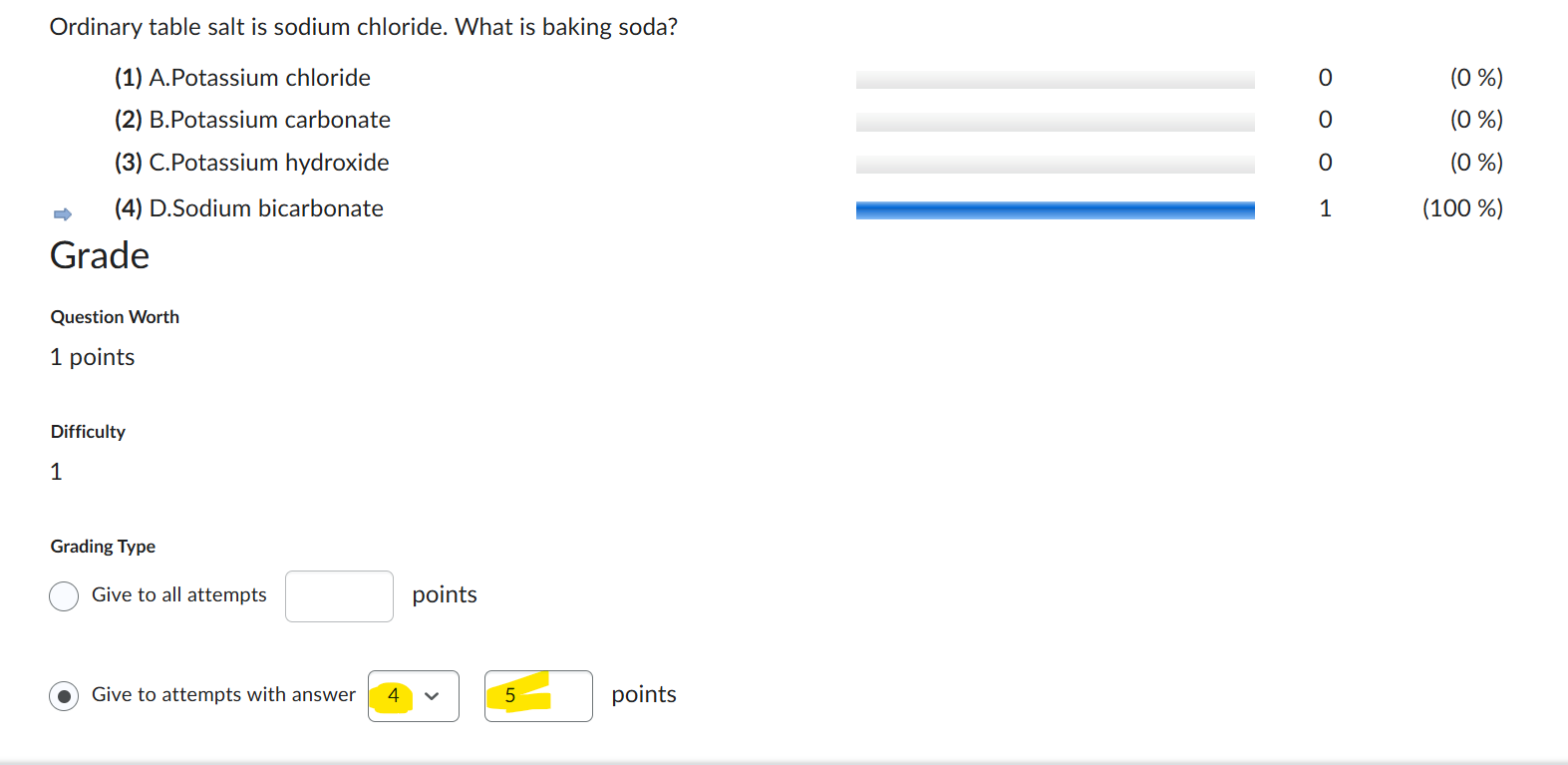
Then select the following: Give to attempts with answer (make sure to change to whatever the correct answer is supposed to be + the points you wish to have)
I believe this works, I did a test run and it did change for the demo student. The only thing I dont know is if you should have the Grades to exceed, if that is a factor for your situation.