Hello,
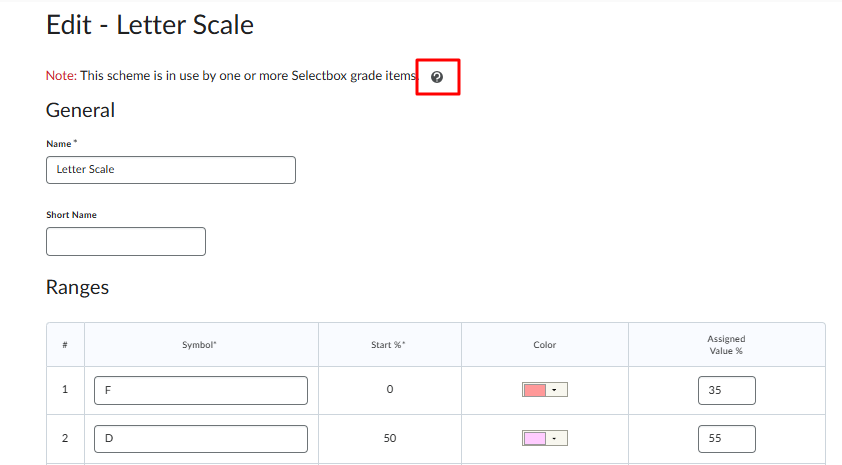
As an admin, I am wondering if it is possible to edit the start % of a system-wide grade scheme?
The documentation is unclear. It appears that we should be able to edit the grade schemes, but when I try, I am not able to edit the start %. I wonder if this is by design, preventing grade schemes that are in use from being changed partway through a semester? Though I did read that it is possible to edit in the same way as we would at the course level.
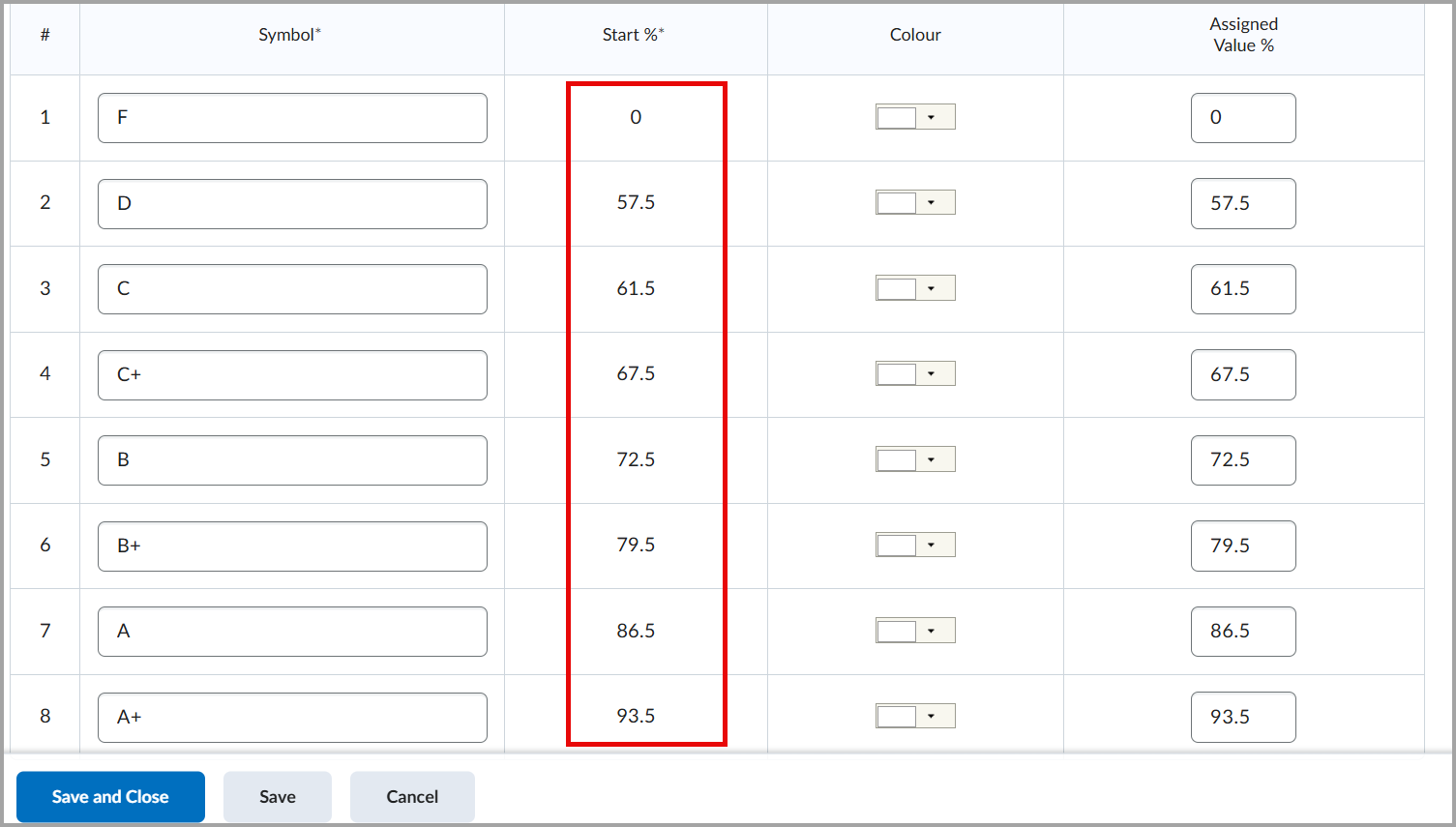
From this page, it appears that we should be able to edit organization grade schemes: https://community.d2l.com/brightspace/kb/articles/4381-about-organization-grade-schemes
"About organization grade schemes
By D2L KnowledgeLast Updated: Feb 6, 2025
You create organization grade schemes at the organization level. Once you create them, organization grade schemes are available to all org units.
You can create an organization grade scheme for final grades to ensure that users’ grades are always reported in the same way across your institution.
Organization grade schemes are created and managed from a single area, regardless of which departments or courses use them.
You can create, edit, copy, and delete grade schemes the same way you would complete them if you were creating a course specific scheme. A grade scheme not associated to a grade item within the course offering is only copied if the grade scheme is unique (i.e. there are no duplicates which match on name and ranges)."
I would appreciate any insights you may have.
Thanks in advance!