Hiding certain events in the Calendar

Kia ora, we are setting up a course in Brightspace and want to hide certain events in the calendar (it is getting quite cluttered). However, when using the Manage Dates tool, the option to hide these events in the calendar is greyed out:
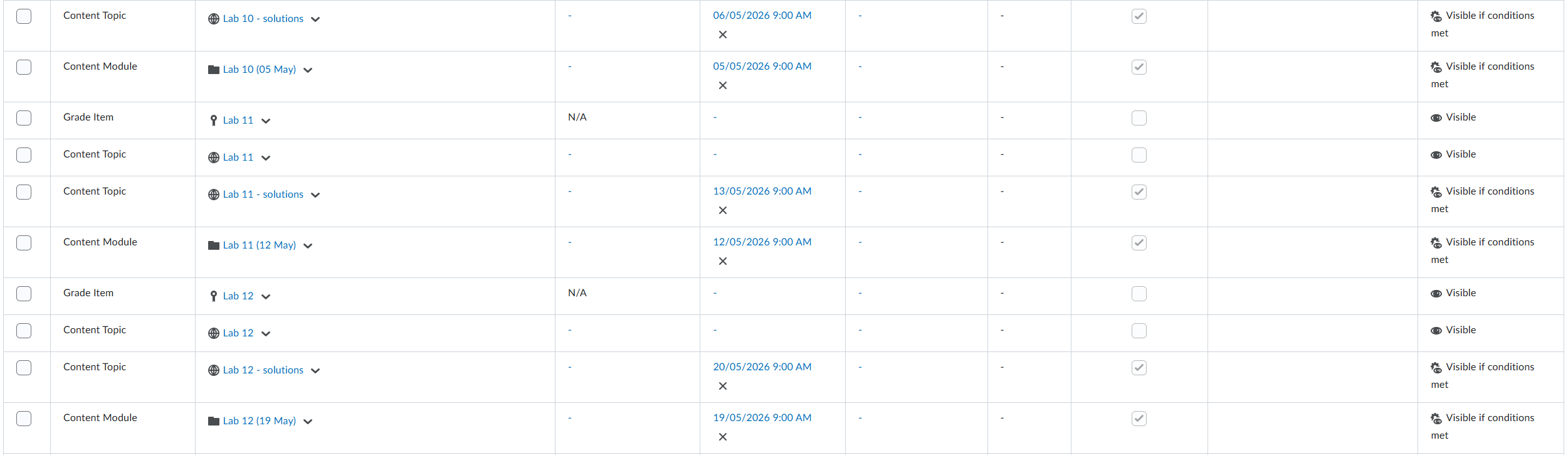
Is there a way to fix this? It is worth noting that elsewhere in the Manage Dates tool we are able to hide things in the calendar — notably the dates associated with assignments.
Cheers,
Rhian
Answers
-
Hi Rhian,
Thank you for reaching out to us through the community!
From the screenshot you shared, I noticed that many events with dates have the Start/End dates option in the Calendar checked and greyed out.
To resolve this, please follow these steps:
- On the navbar, click Course Admin.
- Click Manage Dates.
- Select the check box of the items for which you want to bulk edit dates.
- Click Bulk Edit Dates.
- Now in the page, under the option Display in calendar, choose Remove from calendar
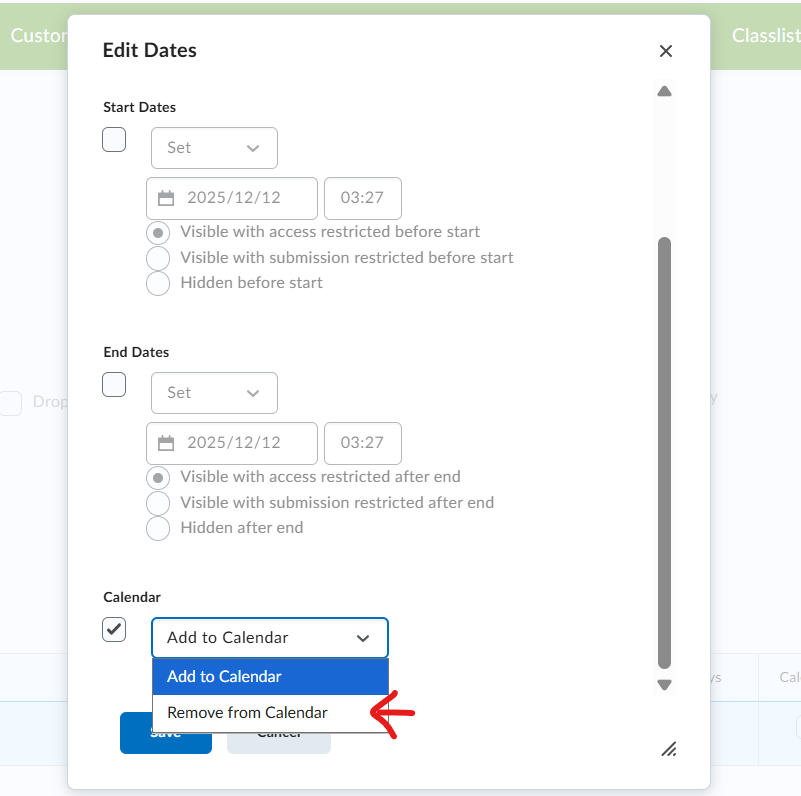
Kindly check if these steps solve your issue. You can also refer below community article to understand more on Manage dates tool
Thanks
Sreelakshmi
-
Thanks you for this response, Sreelakshmi
Unfortunately, although I can follow this workflow, it does not affect the visibility of events in the calendar
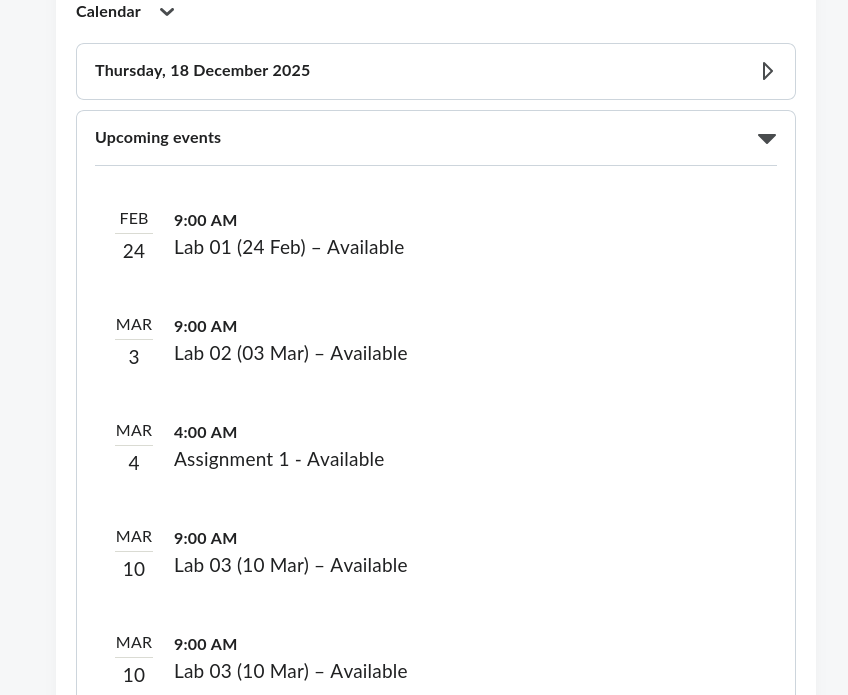
Are there any other workflows you can suggest to solve this issue?
Ngā mihi
Rhian
-
Hello @Rhian.G.2975
Thank you for your update. In this case I would recommend creating a support case with more details about the issue. We would be happy to investigate this further.
We look forward to hearing from you through the support case.
Kind regards,
Bharti
-
I just wanted to chime in on this one as well, and to add support for some kind of fix. Having every item that has release dates applied to them appear automatically in the calendar is extremely unhelpful. And not being able to choose if they do or do not appear is extremely frustrating. especially as it seems like there is a system there to do it. but it's greyed out or not working.
-
Hi @David.Q.765,
Thank you for reaching out to us through the Community!
I completely understand the concern you’ve raised. I can see that there are several existing feature requests related to this functionality. I would recommend upvoting these requests so that our development team can review them and prioritise the enhancements based on user demand.
Also, I would request you to raise a support case if you have any specific issue with manage dates which needs to be investigated.
Please feel free to reach out if you have any further questions or concerns.
Thanks,
Sangeetha



