Bulk User Management CREATE Duplicated Users
I recently needed to add an employee list to some training but remembered that half the list was already in our system from a previous training. Rather than cross-reference the employee list and existing user list, I decided to use the CREATE action with Bulk User Management. I decided to do it this way because in the description of the action, it says, "This action is used to create a new user. If the user already exists, no action will be performed."
Turns out it created new users even if the user already existed, duplicating 40 users! This created a bit of a mess as some people logged in with their old credentials, some with the newly created ones, and I had to make sure whichever account they were using had the right access. I was quite frustrated as I only did this because the description said it wouldn't duplicate users.
Not sure if anyone else has experienced this or if I did something wrong, but I wanted to put it out there as an issue.
Comments
-
Hi @Laura.R.2442 👋,
Thank you very much for reaching out to the Community with your question regarding the Bulk User Management (BUM) tool.
I’m sorry to hear that you experienced issues where the tool created duplicate user accounts. This is certainly not the expected behavior. As you noted, the purpose of the CREATE action is to create a new user; however, if the user already exists, no action should be performed.
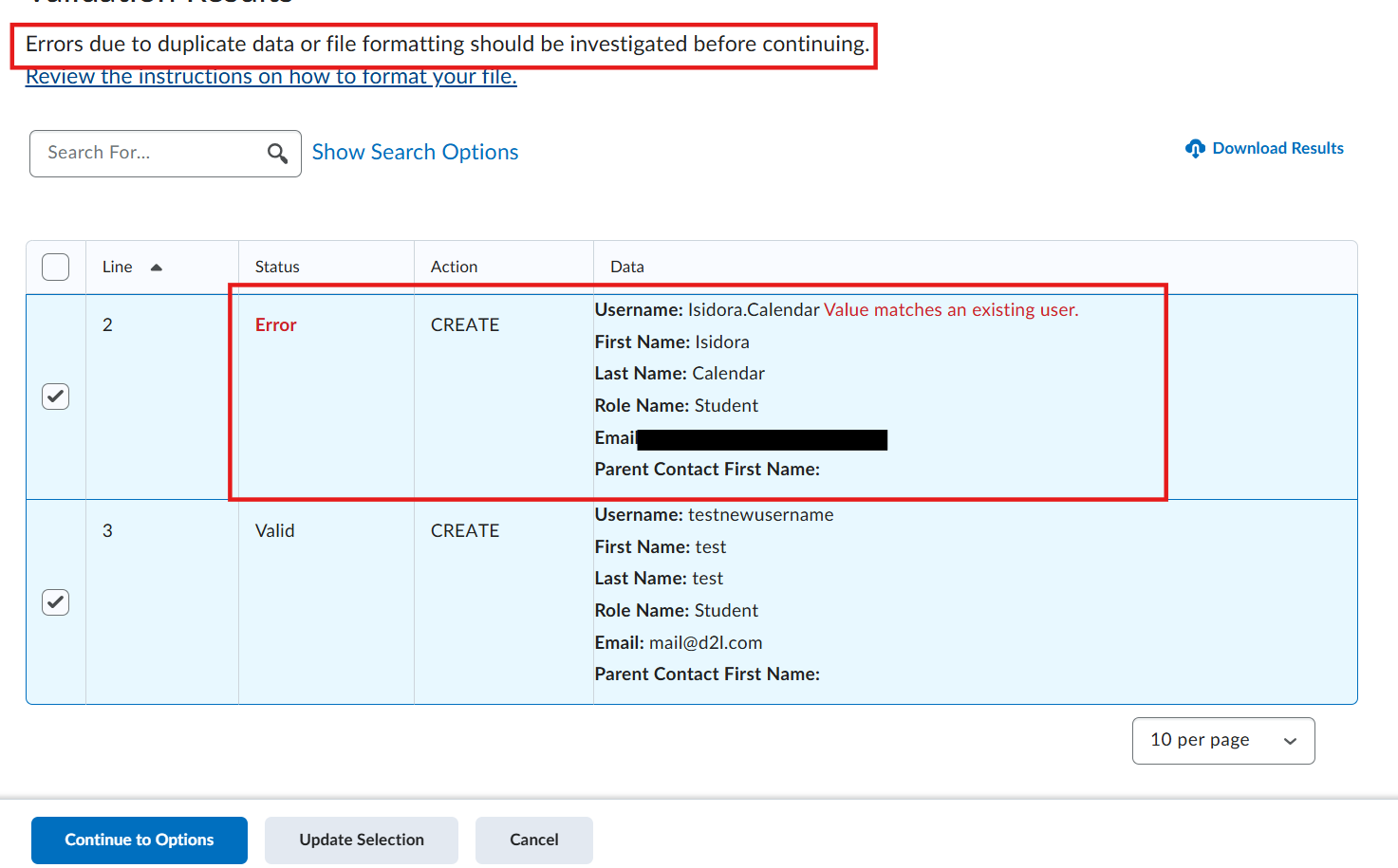
The duplicate check typically relies on the username, as this is the unique identifier in Brightspace. If the CSV file contained different usernames—even if they were intended to represent the same real-world person—the BUM tool would treat them as new users and create additional accounts, even if other fields such as email address or name were identical.
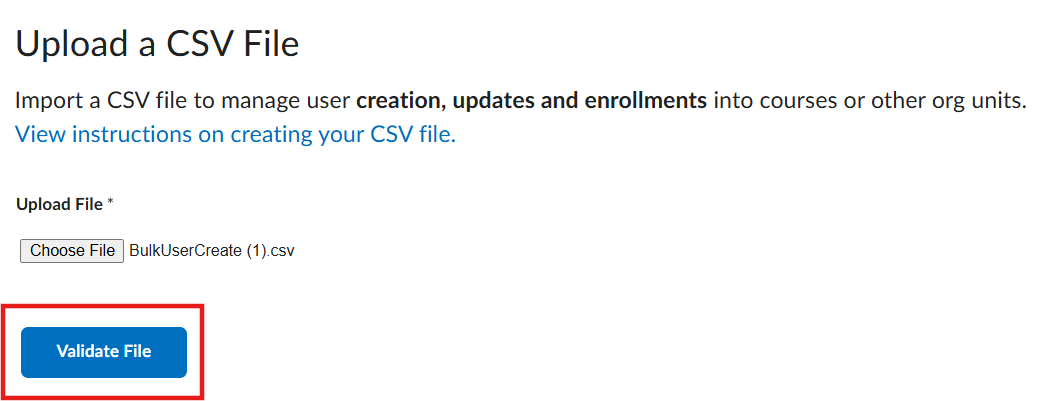
Based on testing, when an existing username is used, the system correctly returns an error indicating that the username is already in use. The system also includes a validation step where all users to be created are displayed for confirmation before proceeding (see below). That said, when working with a large number of users, it can understandably be easy to miss duplicates at this stage.
I would recommend reviewing your CSV file to confirm whether the usernames matched existing users. If the usernames did match existing users and duplicate accounts were still created, I would strongly encourage reaching out to your organization’s Help Desk to open a support case and include all relevant details, including the CSV file used. This will allow our internal team to investigate the behavior further and directly in your environment, as this is not something we would expect to occur.
Please let me know if you have any additional questions or concerns. I’d be happy to help.
-Isidora😊