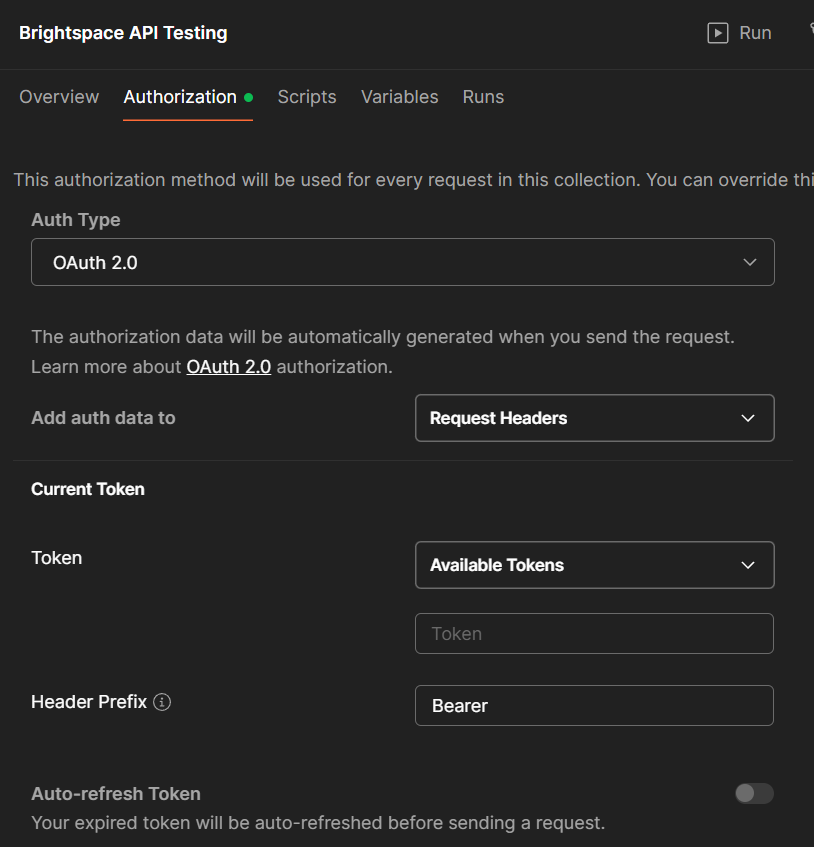
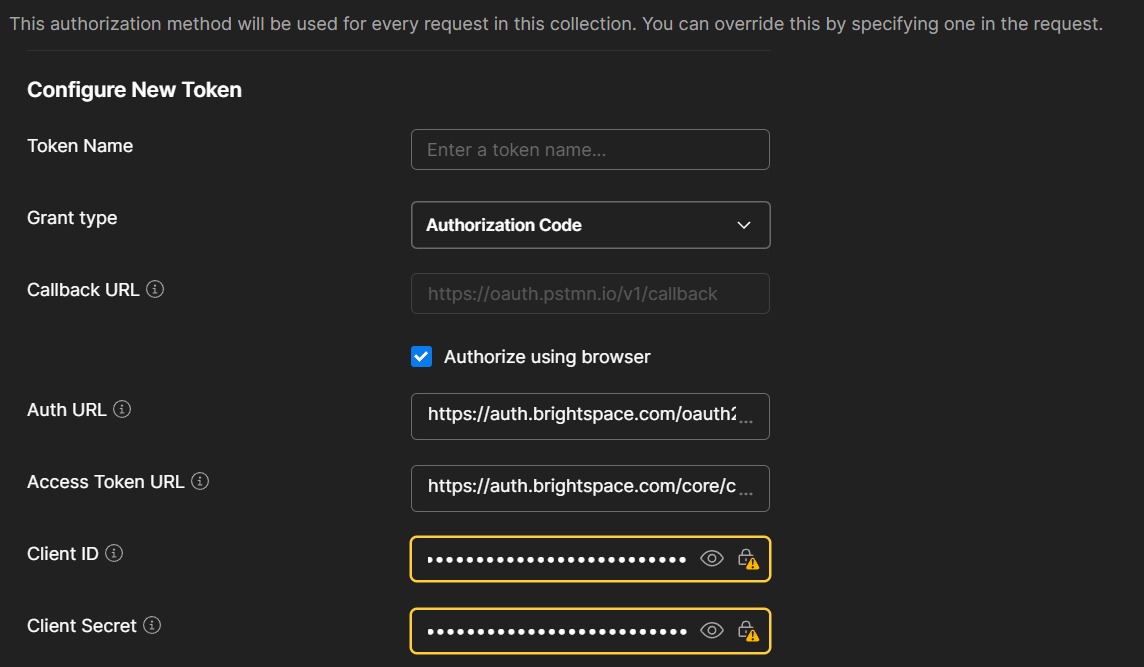
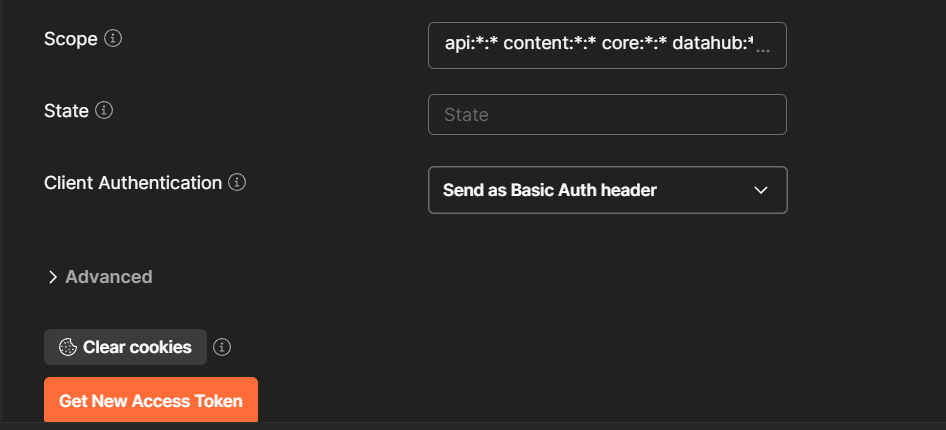
I am trying to create a Postman Collection and connect it to Brightspace. And I used OAuth 2.0 as the Auth Type. I followed the process mentioned in the documentation attached below. We are unable to create a token to establish the connection as it is giving us an error “Invalidredirect Uri:” below is the screenshot of the details mentioned in the Postman Collection. Please help us with necessary changes to complete this connection.
BrightspaceAPI Documentation : OAuth 2 authentication — Developer Platform (February 2026)
Callback URL:
https://lms-oauth2-staging.thecoursekey.com/authorize
& also tried using
https://oauth.pstmn.io/v1/callback
and
https://oauth.pstmn.io/v1/browser-callback
Auth URL : https://auth.brightspace.com/oauth2/auth
Access TokenURL : https://auth.brightspace.com/core/connect/token
Client ID: ****
Client Secret: ***
Scope :content: api:*:* content:*:* core:*:* datahub:*:* discussions:*:* enrollment:*:* grades:*:* organizations:*:* orgunits:*:* outypes:*:* quizzing:*:* reporting:*:* users:*:*
Error:
{"error":"invalid_request","error_description":"Invalid redirect_uri: https://oauth.pstmn.io/v1/browser-callback","rfc6749_reference":"4.1.2.1, 4.2.2.1"}
{"error":"invalid_request","error_description":"Invalid redirect_uri: https://oauth.pstmn.io/v1/callback","rfc6749_reference":"4.1.2.1, 4.2.2.1"}
Screenshotof the Postman Create Collection Interface: