How do you turn a published announcement back to draft, so students cannot see it? I don't want to delete the announcement, but am unsure on what day I want to publish it, so I just want to keep it as a draft. Is this possible?
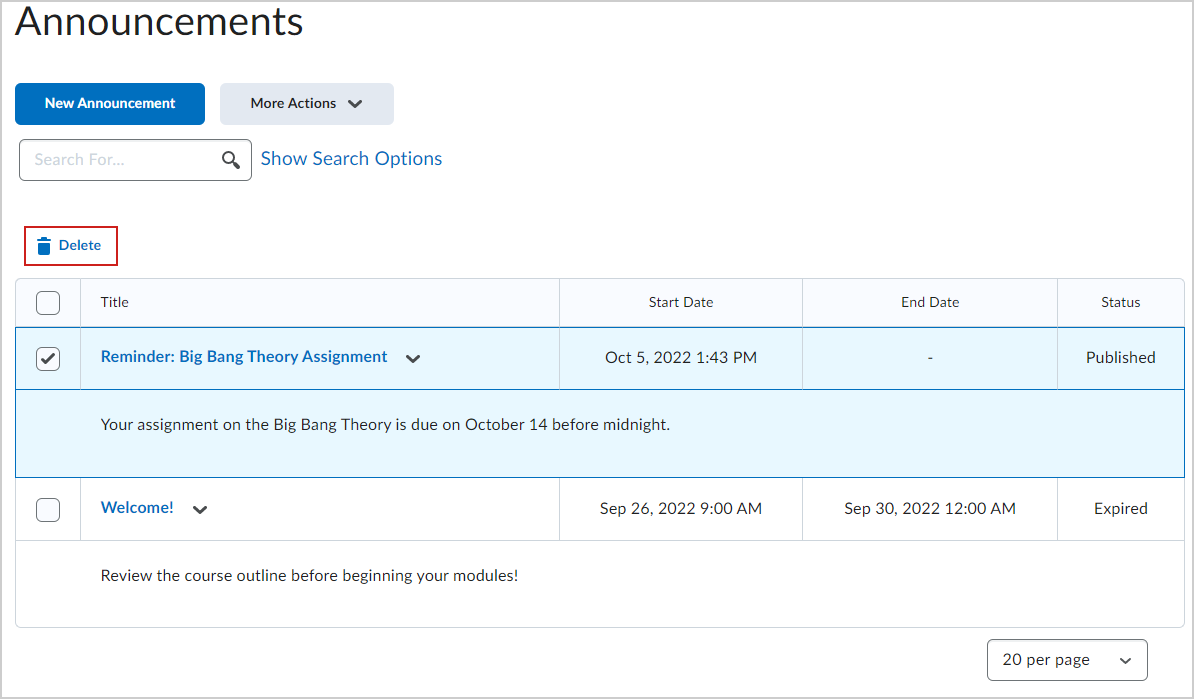
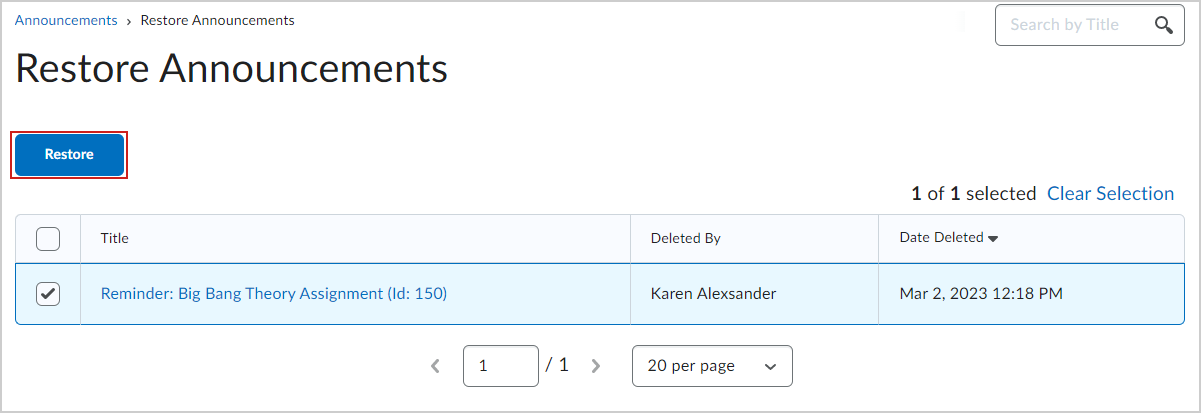
Hi @Louise.B.837, Thanks for reaching out to us here at the Brightspace Community. Since you have published the announcement, the path I usually employ is to Delete and Restore (when I would like to republish the announcement).Delete and restore announcements.
Delete announcements or restore a deleted announcement from the Announcements tool.
Note: To delete or restore an announcement requires the Add/Edit/Delete Announcements permission. Contact your administrator if your role has not been assigned this permission.
To delete an announcement
The selected announcements are deleted.
To restore a deleted announcement
The announcements are restored and available on the course home page. You can check out our Brightspace Tutorial video on how to Delete and Restore an announcement!
Connect with our Known and Fixed Issue information to learn about improvements made to Brightspace.
Connect with leaders in pedagogy, accessibility, learning experience design and more
The Accessibility category serves as a single point of access to three avenues in Brightspace Community leading to the Accessibility Academy, Accessibility Library and Accessibility Discussions. These avenues offer courses and articles about accessibility to enhance accessibility knowledge and a group of accessibility enthusiasts to stay connected with.
Have questions about how to use Community? Stay tuned with updates, feedback opportunities and more for the Community here!
Connect with and ask questions on how to best use the Brightspace Product to transform the way your users learn!
Connect with product experts to learn more about tools frequently used by Brightspace Developers such as APIs and integrations!
Want to learn more about Brightspace Partners and Integrations? This is the place to be!
Stay up to date with product updates and announcements in this category.
Connect with our release information to learn about monthly improvements and updates to Brightspace.
Learn more about all the upskilling opportunities with courses and resources offered via the Brightspace Learning Center, Brightspace Guided Training and other training opportunities!