Is there any way we can see who liked a particular page on the Community Corner…in the same way as we can on Social Media platforms like Facebook, Instagram, etc.?
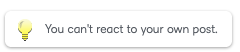
When I click "Like" on my own posts, I see this:
What I would like to see is who has liked my post and who specifically shares my interests/concerns.
Hey @Mike.B.559, thank you for reaching out!
At this time, our Community doesn't show who specifically clicked Like on a post. But we really appreciate the suggestion and will keep in mind as we continue improving the platform!
Let us know if you have any other questions!
I would certainly recommend it. If the goal of Community is to build community, it would be useful to know who supports the same ideas as you do. On a related note, I've mentioned it before but it would also be useful to have some continuity in userID's between Community and BrightIdea. As it stands, I am Mike Barker on the PIE and Mike.B.559 on Community. I just checked and, even though only 5 show up by default, there are currently six Mike.B possibles to choose from. So, absent the icon, it's not easy for others to reach out to me. I realize they are built on two separate platforms but the disconnect makes bit challenging to know who's who…and therefore how to get in touch with each other across platforms.
Hi @Mike.B.559 Thanks so much for your thoughtful feedback, Mike! We completely agree, building a sense of connection is key to fostering a strong Community, and knowing who supports the same ideas (and being able to easily find each other) is an important part of that. We're working with our Community vendor to see what changes may be possible to better support users in seeing who has liked posts across the site.
We’ve shared your comments with the PIE team and have flagged the issue around username continuity and discoverability- but at this time while those tools remain in 2 platforms as you noted, we're not able to support a single tied username across both platforms. We really appreciate you raising this, and we’ll continue to partner across these team to keep the conversation going on ways to make the experience more seamless across platforms.
Thanks again for helping us improve the Community!
Hi @Mike.B.559,
Thank you so much for your thoughtful feedback — we really appreciate you sharing your perspective!
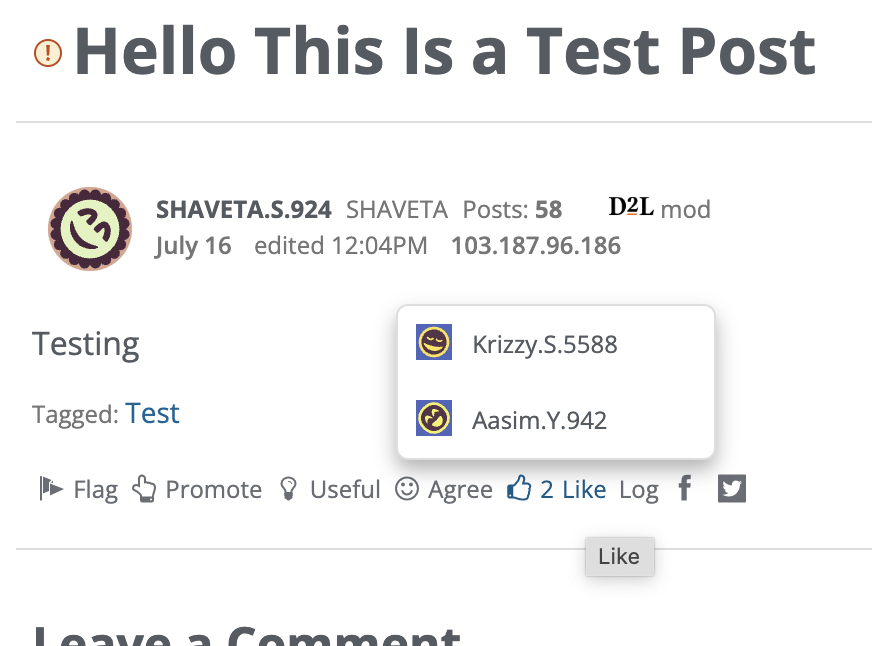
We're excited to let you know that based on your suggestion, we’ve now enabled a new hover feature for reactions in the Community Corner. When you hover over a reaction (like a "Like"), you’ll see a pop-up with the names of the members who reacted to the post.
We hope this small enhancement helps build more connections within the Community and makes it easier to see who shares similar ideas and interests. Thanks again for helping us make the Community even better! Community Team
Connect with our Known and Fixed Issue information to learn about improvements made to Brightspace.
Connect with leaders in pedagogy, accessibility, learning experience design and more
The Accessibility category serves as a single point of access to three avenues in Brightspace Community leading to the Accessibility Academy, Accessibility Library and Accessibility Discussions. These avenues offer courses and articles about accessibility to enhance accessibility knowledge and a group of accessibility enthusiasts to stay connected with.
Have questions about how to use Community? Stay tuned with updates, feedback opportunities and more for the Community here!
Connect with and ask questions on how to best use the Brightspace Product to transform the way your users learn!
Connect with product experts to learn more about tools frequently used by Brightspace Developers such as APIs and integrations!
Want to learn more about Brightspace Partners and Integrations? This is the place to be!
Stay up to date with product updates and announcements in this category.
Connect with our release information to learn about monthly improvements and updates to Brightspace.
Learn more about all the upskilling opportunities with courses and resources offered via the Brightspace Learning Center, Brightspace Guided Training and other training opportunities!