Hi @Stacy.N.647, thank you for reaching out to the Brightspace Community!
Could you please share a screenshot/screen-recording of the error you're seeing? This will help us assist you better!
Hi Stacy,
I hope you are having a wonderful week! Thank you for reaching out regarding the issue you encountered while uploading a video to an assignment.
Upon reviewing the screenshot you provided, I can confirm that the behavior and error message you're experiencing are expected, based on the assignment's submission settings. The assignment in question is configured with a "File Submission" type, which requires that a file be uploaded in the designated submission area. For reference, these are the available submission types:
It appears that you have attached the video in the comment section of the assignment. Please note that the system does not recognize attachments in the comment section as part of the submission; instead, they are treated as comments. This is the reason you are receiving the error message "A file is required."
To resolve this issue, please re-upload the video using the "Upload" button within the submission section of the assignment. If you do not have the video saved on your device, could you kindly provide further details on how you created or obtained the video?
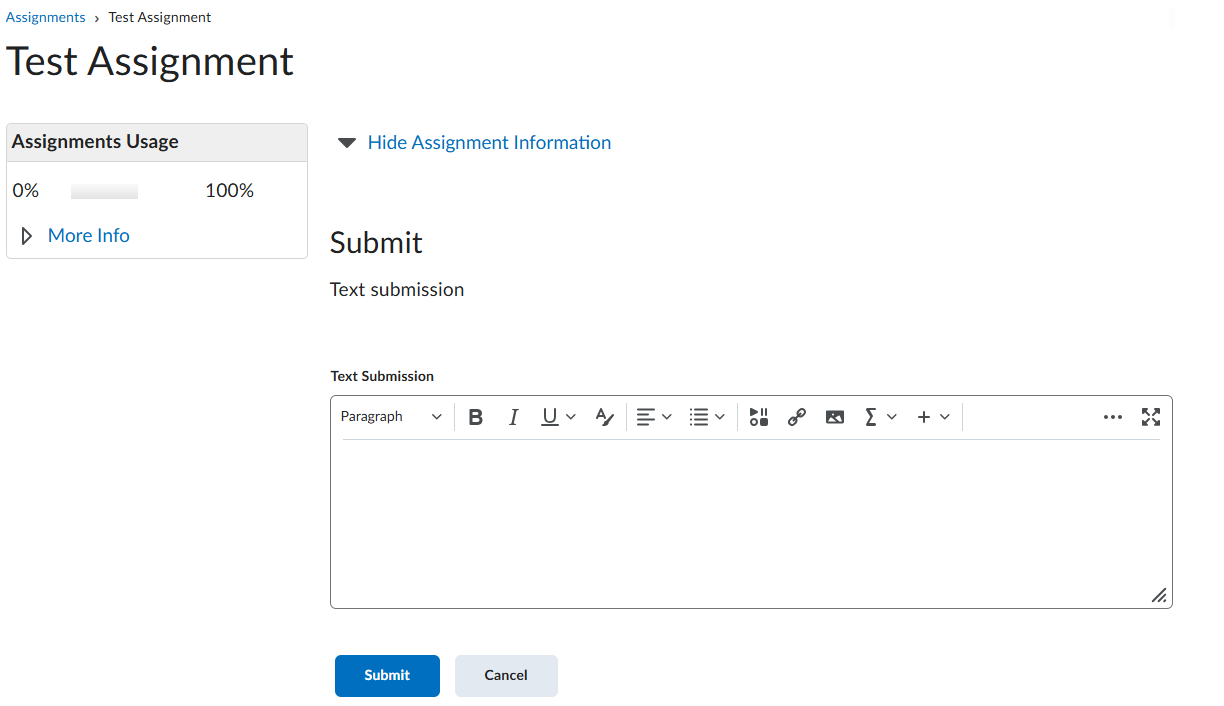
Note: I see the instructions mention to 'Insert the video using the stuff tool'. If you wish to continue with this workflow, I recommend updating the assignment submission type to "Text Submission" This will enable students to access the HTML editor, from which they can use the "Insert Stuff" button. Please see the example below of how a text submission assignment appears from the student’s perspective.
If you have any questions or run into further issues, feel free to reach out—I’m happy to help! 😊
Warm regards,
Isidora
Hi I am having the same problem submitting a kaltura video as an assignment ... but the prof is insisting that a link be sent... his submission setting is set to file... any other tips
Connect with our Known and Fixed Issue information to learn about improvements made to Brightspace.
Connect with leaders in pedagogy, accessibility, learning experience design and more
The Accessibility category serves as a single point of access to three avenues in Brightspace Community leading to the Accessibility Academy, Accessibility Library and Accessibility Discussions. These avenues offer courses and articles about accessibility to enhance accessibility knowledge and a group of accessibility enthusiasts to stay connected with.
Have questions about how to use Community? Stay tuned with updates, feedback opportunities and more for the Community here!
Connect with and ask questions on how to best use the Brightspace Product to transform the way your users learn!
Connect with product experts to learn more about tools frequently used by Brightspace Developers such as APIs and integrations!
Want to learn more about Brightspace Partners and Integrations? This is the place to be!
Stay up to date with product updates and announcements in this category.
Connect with our release information to learn about monthly improvements and updates to Brightspace.
Learn more about all the upskilling opportunities with courses and resources offered via the Brightspace Learning Center, Brightspace Guided Training and other training opportunities!