Best Of
Re: Video not visible when description is added
Hi Stephen,
Thanks for that suggestion, and the quick reply. Yes, we are currently implementing Brightspace in our institution using the new content experience.
I was trying to avoid using emojis because of the accessibility issues for people using screenreaders where it reads them literally rather than contextually. Having two icons together in the content list (e.g. the Brightspace page icon next to a camera) is a bit visually cluttered too, for those who need the visual cues, and relies on all users in our institution using the same convention and emoji for labelling video pages to make it consistent for students to interpret across different module spaces.
Is there any plan to correct the issue with the description appearing over the video frame, especially since it doesn't do this on other types of content like PDFs?
Thanks again for your help

Re: Analytics Builder - More than one page PDF export
Hi Rachel,
I have looked into this further and at this time, the export to PDF option in the Analytics Builder does not have a setting to export multiple pages.
At this time, we would like to suggest flagging the desired functionality as a new feature or Product Idea on the Brightspace Community. Posting the idea will allow you to communicate directly with the Product Planning Team and other Brightspace users: https://community.d2l.com/brightspace/kb/articles/27707-d2l-product-idea-exchange-pie#how-to-log-into-pie
If you have any further questions, kindly let us know.
Best regards,
Abrar

Re: PIE not working?
That explains it. That worked. Wasn't sure what to put for my school initially as I use D2L at two different schools. Thanks for your help.

Re: Articulate Rise SCORM or xAPI completion tracking not working
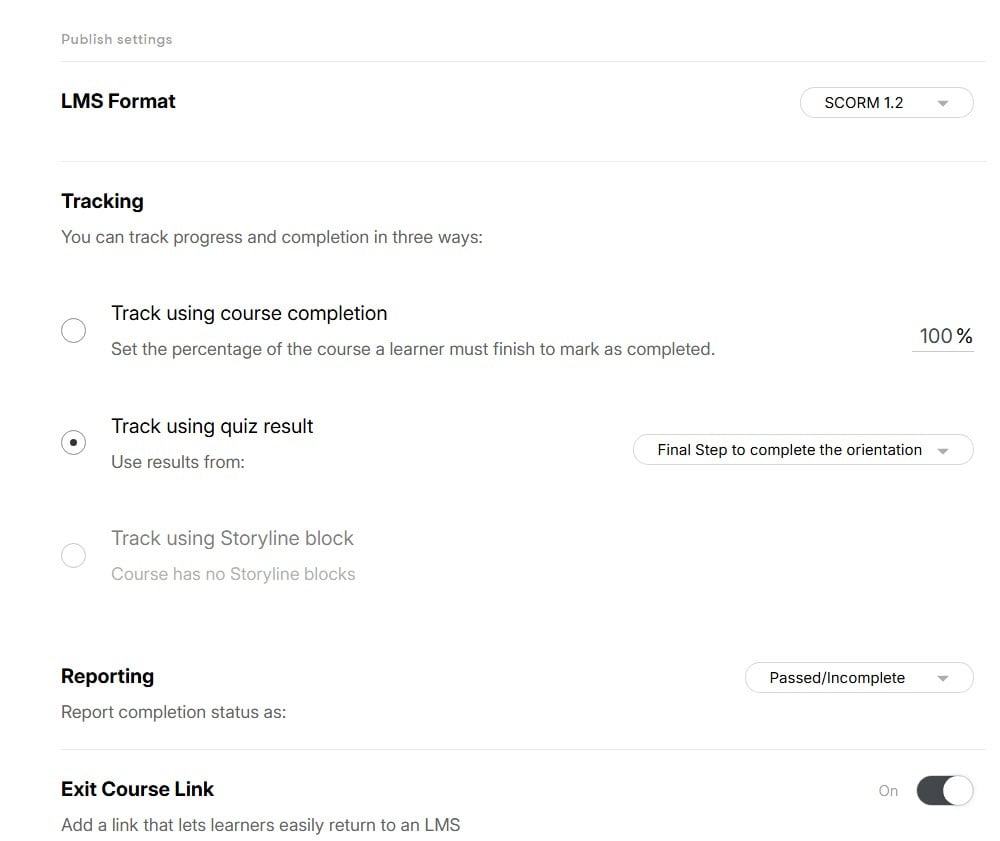
I know this question was long ago, but I was working on the same issue. I found that I was only able to get Rise to pass a grade to Brightspace when a quiz was included. It is not possible to use both completion and score with Rise, so I used the quiz score. I selected SCORM 1.2 and set reporting status as Passed/Incomplete.

Re: Gradebook Scrolling Changed
I honestly never noticed the left and right arrows at the top of the gradebook until today. I will use those; however, the left and right arrows "jump" a couple of columns at a time and do not "scroll" as with the scroll bar. The scroll bar issue is still there, but the arrows are a partial remedy, at least.
Re: How can I identify who made teaching content changes in the history?
Hello @Rui.X.961, thank you for your question!
In order to identify changes made to content, I would suggest you reach out to your on-campus administration team, who can open a case with our Support team for investigation.
Sorry we're not able to directly help you here.
~Stephen

Re: Reporting on Staff Department for Central/Shared Courses using Brightspace
Hello Kabir,
Thank you for reaching out to the Brightspace Community with your question. My name is Piero. I am a member of the D2L Product Support team and I'll be helping you today.
My approach in this situation would be to think of this report from the perspective of the Users who completes it, instead of putting the Organisational Unit at the forefront.
I understand that these Users who may not belong to the central department still have enrolments in Brightspace in their own home departments, correct? In this case, you can use the "User Enrolments" Brightspace data set in order to get the information on which department they belong to (because they will have an enrolment in that department at some point in the past).
The "User Enrolments" will only give you the OrgUnitId value of where the User is enroled. If you also need the type and name of the OrgUnit, you will need to join the OrgUnitId from "User Enrolments" with the OrgUnitId of the "Organisational Units" data set.
I suppose that you are using Awards to flag when a User has completed a course offering with training. By cross referencing the UserId of the Users who received the course completion awards with the UserId in the "User Enrolments" data set (and, if necessary, also cross-referencing the OrgUnitId from department enrolments with the "Organisational Units" data set) you will be able to build the report you are looking for.
I hope you have found this information to be useful. Should you have any questions or concerns about it, please, don't hesitate to let me know.
Thank you kindly,
Piero de Sá
Bilingual Product Support Analyst

Re: Community Updates
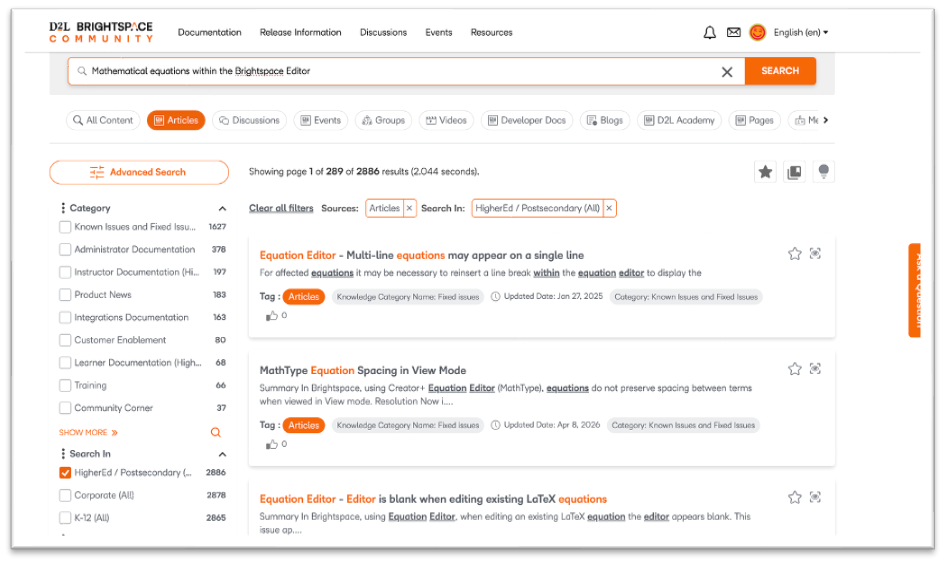
Enhanced Community Search: Powered by Hybrid Search
As community content grows, search needs to do more than match keywords—it needs to understand intent. Enhanced Community Search uses Hybrid Search to combine the precision of Keyword Search with the intelligence of Neural Search.
- Keyword Search: looks for exact matches (case IDs, product names, error codes)
- Neural Search: understands meaning and intent, even for vague or conversational queries
Hybrid Search runs both approaches at once, then re-ranks results to deliver the most relevant answers—adapting dynamically based on your query.
Summary: What This Means for You
- More accurate and relevant results
- Strong support for both precise and exploratory searches
- Less need to refine queries or use exact terms
- Faster access to the right information
- Better discovery of related content
- Works naturally with conversational queries
- Consistent, intuitive search experience
Moving Beyond Boolean Search
Traditional Boolean search (AND, OR, NOT) is powerful but rigid and effort-heavy.
Challenges with Boolean:
- Requires specific syntax and exact wording
- Time-consuming to refine
- Misses context and intent
How Hybrid Search Improves This:
- No operators needed—just search naturally
- Understands intent and expands meaning
- Surfaces the best results, not just matching ones
- Adapts dynamically instead of relying on fixed rules
How to Enhance Your Search Experience
- Write content in natural, user-focused language
- Combine metadata (tags) with rich content
- Enable semantic search capabilities
- Use relevance-based re-ranking (e.g., engagement, recency)
- Support full questions, not just keywords
Enhanced Community Search replaces rigid query logic with intelligent discovery—helping users find the right answers faster, with less effort.

Re: Share calendar events across multiple courses
Thank you for the reply!
Ideally I'm looking for an option like what currently exists for assignments and announcements, where it's possible to easily cross-post a new individual event across all calendars for various courses. I appreciate your response but was hoping for a method that wasn't an import/export process, but rather a seamless shared posting. Thanks all the same!

Re: Can I use Surveys to have students evaluate courses?
Hi there! This is an excellent way to use Surveys and to collect this information! Here is a doc to ensure you are creating an org level survey that can be shared across the entire org.