Best Of
Re: Exclude as Final Grade Option
@alaina.s.2924 Hi Alaina, since you're using a weighted gradebook, setting the weight on the grade item to 0 is the same as checking the box for Exclude from Final Grade Calculation in a points-based gradebook.

Has anyone experienced inconsistent “overdue” notices for assignments/quizzes completed on time?
Details:
In one of our courses, we’re seeing a strange issue where a single assignment appears as “overdue” for all students in the Content area, even though every student submitted it before the due date. I impersonated eight different students, and the behavior is identical—only this one assignment shows the overdue message, while all other assignments look normal.
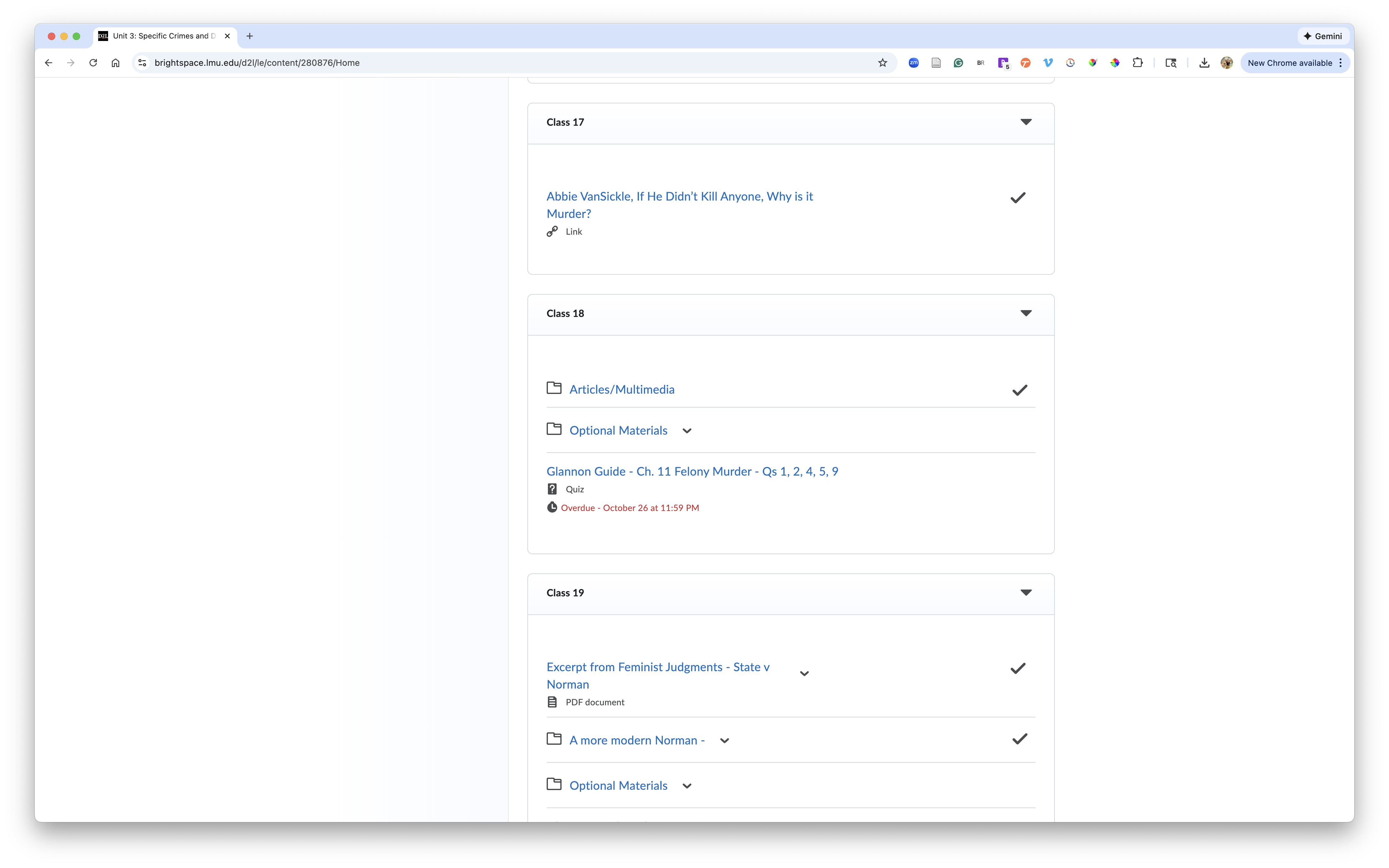
Follow-Up Issue:
We’re now noticing similar behavior with some quizzes:
- The quizzes are auto-graded and published to the gradebook.
- Some quizzes randomly display an “overdue” notice for students who completed attempts well in advance.
- Other quizzes show the correct behavior and simply display the due date.
Ask:
Has anyone else run into this?
If so, did you identify what caused it or find a workaround? Any insight would be greatly appreciated.

Re: Media Library - for images to use across courses
While this workaround may work, it also defeats the purpose of using the media library where you upload once and use many times. With this workaround, the image would have to be uploaded in to each course. The media library inserts images in a page as an iframe. This needs to be fixed.

Re: Data hub reports
The course template code is the tricky one - as far as I know you would need to use the Organisational Unit Ancestors data set, which has several entries for each course offering depending on your site hierarchy, which you would need to match with the Organisational Units dataset filtered for Type="Course Template".
Re: feedback comments not saving fully
Thanks for the update, Abrar!
The professor who had reported a similar problem at my university replied (pasted below in italics) after checking the update. Wondering if the issue he described has been (will be) resolved as well in version 20.25.12 (December 2025 ?).
I wish this workaround was effective but, unfortunately, it isn't. The problem for me is not one related to moving between tabs. I will be in the same tab, grading the essay, and the text will disappear as soon as I close the note I have typed.
I have, however, learned a few things about this. First, it is far more common when the note is typed quickly. I surmise that what is happening is that the server is not uploading the text constantly - though I never had this problem in Blackboard or in MS Word. Second, I have improved results when, after typing the comment, I hit the enter key a couple of times and then backspace a couple of times to remove it. This has reduced the frequency of the problem. Still, it isn't perfect. Typically, I am losing roughly 1-2 notes out of 10. Third, sometimes, if you hit the return arrow key you can restore the note. But this doesn't work all the time.

Re: Known Issues List Updates
So helpful to have the new issues listed right here. Thank you!

Re: Community Feedback🗨️
Totally agree w/ @Jacqueline.K.327 that it is frustrating to have to go find the page I was sent to when I've been timed out of the Community.
Re: Community Feedback🗨️
Thanks for taking the time to explain what's going on behind the scenes. What a complex situation!
I guess a one-month delay on deletion should provide ample accommodation for my delayed event discussion notification-clicking habit. 😁 Although maybe you shouldn't accommodate it.🤭
Given that all the Discussions on the site are ordered with the oldest at the top and that that eventually leads to many pages full of posts to scroll/click through, I'm wondering if (in some cases) it might be possible to add a prominent link or button inside the pinned post at the top of the discussion to allow people to immediately jump to the very end of the listing with just one click. Is there some URL suffix that would retrieve very last page, very last post? A dynamic link that points to whatever is newest? Maybe not. But it seems like a nice pie-in-the-sky idea at the moment. 😉

Re: Community Feedback🗨️
Hi, Stephanie. Happy Almost-New Year! 🙂
There might not be a fix for this, but I thought I would mention that for me my most recent Alert badge notification in Brightspace Community for "new comments on discussion: Community Events" points to the URL https://community.d2l.com/brightspace/discussion/comment/11274#Comment_11274 however clicking/going there returns "Comment Not Found."


I was able to dig up the right location for the comments thread (https://community.d2l.com/brightspace/discussion/2153/community-events#latest)… it's just odd/unexpected that clicking the notification won't get me there.
Blessings,
Janet
Re: Fixed Issues List Updates
I love that you are providinng the specific items added to the fixed issues list.
This is so helpful!
Thank you!