Best Of
Re: Can I run a report to list all courses offered in a semester
Hello Brian, thanks for your question!
I would normally use the Organizational Units Brightspace Data Set, which you can obtain by going to Data Hub (the link should be on your homepage).
Do your Course Offerings contain a unique identifier, either in the course name or course code, which specified the semester they were offered in? You could pull out the courses you need by filtering against whatever that identifier may be.
Also in the Organizational Units data set will be the org unit ID, which is the the number you're looking for.
Hope this helps!
~Stephen

importing with course components take too long
My understanding is that if I try to export/import a quiz without selecting Course Components, then the embedded figures will not come through. Maybe this has been fixed; I don't know.
But when I select Course Components, it seems like it tries to export/import all of the components of the course, not the ones just associated with the single quiz I am trying to export/import.
This does not seem like a good way to do things.

Re: Exporting class progress
Hi Steve,
Thanks for reaching us through the Brightspace Community!
Unfortunately it's currently not possible to export Class Progress. The following PIE has been submitted: Ability to export user or class progress information (D1350).
There are also two existing PIE Items that addresses the option of seeing more than 50 users at a time: Ability to show all students in Class Progress (D10063) and (D7334)
Please visit these enhancement ideas, upvote and comment.
Thanks!
Janet

Exporting class progress
Hi,
I have a someone who is an admin in a specific course, as they need to be able to manage just that course, see who has enrolled and each individual's completion status.
I can see the class progress page has all the information they need, however I can't seem to export it. They want to be able to run a report monthly to see who has completed and who hasn't completed the course. Since the view only lets you see 50 people at a time, it's not very useable for their purpose since there can be 100's of users in the course.
I know I can run a report with the Data hub on learner progress, however they don't have access to that feature, since they are ‘read only’ on all the other parts of the LMS.
Anyway they can easily export the class progress data?
Thanks
Steve

Re: Request for API Access to Start and Submit Quiz Attempts via REST API
Hello @Vamsi.K.827,
Thank you for reaching out to the Brightspace Community!
The actions you have listed regarding quiz submission workflows are not currently supported via API and there are no current plans to extend the API's to support these actions.
The only way to “automate” taking a quiz on behalf of another user X is to have a real person impersonate that user X and do the actions manually themselves.
Please find below the link to our Valence documentation with the available Quizzes APIs:
https://docs.valence.desire2learn.com/res/quiz.html
While this is not currently supported, we collect feedback and ideas in Product Idea Exchange (PIE), where you can submit new ideas and upvote existing ones you would like to see implemented.
For more information about PIE please refer to this KB article:
https://community.d2l.com/brightspace/kb/articles/1481-baking-a-better-pie
Thanks, Ana

Re: Request for API Access to Start and Submit Quiz Attempts via REST API
Hi @Vamsi.K.827
If you would like more options I would suggest the submission of a PIE item, orupvoting one that suits your use case.
The Product Idea Exchange is designed for users like you to send direct submissions to our Product Development organization.
It allows you to receive direct updates on each request you submit
It allows the community members to vote on ideas
It allows other community members to contribute to and collaborate on each idea
It ensures ideas that have the greatest impact on our clients and end usersreceive consideration for inclusion in future
You can also access the PIE page from your brightspace community navigation bar. You can search for any relavent ideas if it already exists which you can upvote or you can create your own.
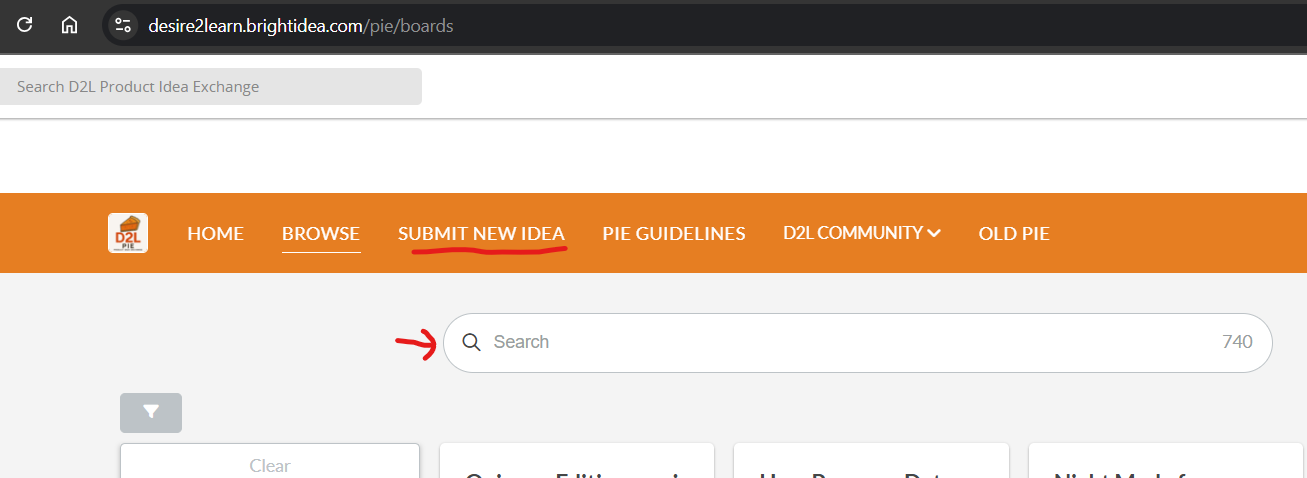
We look forward to hearing from you at the Product Idea Exchange!
Regards
Ashwin

Re: HTML pages open in default browser instead of Pulse app
On this subject: one thing I've noticed is that when the html pages open in the default browser, there is no more navigation. No arrows in the page to get to the next page in the content like there is on the website view. Instead, you have to navigate back to the pulse app and then select the next html page, which opens in a new tab in the default browser. I see this becoming an issue for our learners. Is this something that will be changed in the future?
HTML pages open in default browser instead of Pulse app
Hi there,
I noticed that since recently, I can't put a exact date on it, HTMl within the Pulse app do not open within the app itself anymore, but instead open in my default browser. Is this due some update or something. Personally I liked it when they opened within the Pulse app.
Can anybody share more information on this?
Kind regards,
Arman
I already found the answer myself :) https://community.d2l.com/brightspace/kb/articles/27559-december-2024-20-24-12

Re: Release Notes Updates
Unfortunately, the new feature is not the addition of a second due date function; it's just that the existing due date setting will be linked to the initial post. This new feature won't provide the functionality we've been looking for. As a workaround over the years, we've been putting a checklist in every module. In the checklist, we add an entry for the "Module 7 Discussion Initial Post" and tag it with a due date, then a second entry for the "Module 7 Discussion - Two Peer Response Posts" and tag that with the later due date. This way, students have both due dates on their course calendar. Hope this helps!
Re: Release Notes Updates
@Maryna.Z.118 I'm confused about the December release notes. It says instructors will be able to add a discussion due date for the first post. However, from what I'm seeing we can still only add one due date for discussions. We could already do this in the classic content experience. We need to be able to add a first post due date and a follow-up reply due date. Is that not what this is?
