Impersonating in a Distributed Administration context

Our suborg admins would like to be able to impersonate users within their suborg. We have those permissions turned on for that role, but realized we likely need to have the permissions turned on for the learner role as well, since that is how suborg admins are enrolled at the org level.
While we don't want learners to be able to impersonate other users, they don't actually seem to see any links or menu items that would allow them to do this, even with the permissions turned on, so that's ok. However, our suborg admins don't seem to be able to impersonate users unless we also turn on some of the impersonate permissions for the instructor role.
This then also gives instructors the ability to impersonate any user enrolled in one of their courses, which poses a security risk, since they are then able to see the content of any other course that user is enrolled in.
We're not sure why permissions at the instructor level are needed for this to work, and are wondering if there is a way around this that would allow the suborg admins to impersonate without also giving that ability to instructors?
Best Answer
-
Hi @Karen.T.723, that's great to hear! Glad everything is working as you were hoping.
Have a great day and if you need anything else just let us know :)
~Stephen


Answers
-
Hi Karen,
Thank you for reaching out to us through the community.
Based on the behavior you’re describing, it may help to review how impersonation is designed at a permissions level.
According to the documentation:
https://community.d2l.com/brightspace/kb/articles/34437-about-impersonationhttps://community.d2l.com/brightspace/kb/articles/34437-about-impersonationImpersonation is controlled through specific role permissions found within the Roles and Permissions tool. You can follow these steps to review the settings:
Navigate to the Roles and Permissions tool and locate the role for which you want to configure impersonation permissions.
Open the dropdown menu and select Edit Permissions.
Filter by Tool > Users, then scroll down to locate the Impersonate [role] permissions.For example, if sub-org admins need to impersonate learners, they must have the “Impersonate Learner” permission enabled.
If, after reviewing the documentation and these settings, you still observe that sub-org admins can only impersonate users when Instructor permissions are enabled, this may require further investigation. In that case, we recommend opening a Support case so our team can review your specific role configuration and organizational setup in more detail.
Thanks, Romulo
-
Hello @Karen.T.723, it looks like you may still need assistance with this question?
When your sub-org admin's attempt to impersonate, do they see the impersonate option at all when selecting the drop-down menu next to a user?
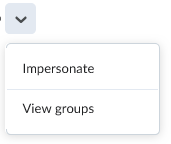
If they are seeing the Impersonate option, do they receive an error when selecting it?
Thanks!
~Stephen -
We had a call yesterday in which we figured this out — turns out the solution consisted of two things — making sure the sub-org admin's roles both in the platform and in the sub-org have permissions set to be able to impersonate, and setting the role interactions permissions for the roles they will need to impersonate. The role interactions piece was what we had been missing. So — got it working! 😀
