Gradebook horizontal scroll bar

Hello! An instructor who used Chrome browser told me the scrollbar which used to appear at the bottom of the screen no matter where were looking now ONLY appears at the bottom of the gradebook.
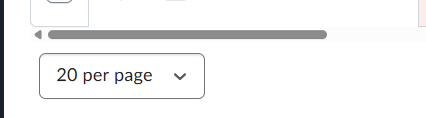
I can't share more specific images for confidentiality reasons, but in the past, no matter where you were on the gradebook page, the scrollbar would always appear.
Can someone advise if this is an update, a setting that got pushed out, and/or if this is a setting we can adjust on our side?
It now means if an instructor wants to view looking at a specific grade item, they can only view 10 students at a time, have to scroll to the bottom of the page, use the horizontal scroll bar to find what they hope is (the grade name is no longer showing) and scroll up.
In the meantime, I've suggested the instructor zoom out to view her grade items and only look at 10 students per page, but this change is a hurdle for instructors who are viewing or inputting grades.
Best Answer
-
And in the first time ever, I'm going to respond to my own question!
The horizontal scrollbar has been replaced with left and right arrows! Whew!!!

Answers
-
Using the L and R arrows skips over several columns with a single click. Please de-update and bring back the horizontal scroll bar wherever we are on the Grades page. Not even the pilgrims had this issue (attempt at comic relief). Seriously though, please de-update.
John Hart
-
Hi @John.H.2473,
Thank you for reaching out to the Brightspace Community and for sharing your feedback.
Updates to familiar workflows can take some adjustment, and we appreciate you taking the time to let us know about your experience. At this time, this change will not be reverted.
This update was implemented to address several important improvements:- It fixes multiple long-standing defects within the Grades tool.
- It improves the accessibility of the table and introduces enhanced navigation functionality with the left and right arrows.
- It aligns Grades with other areas of D2L Brightspace, as the same table component is now used consistently across tools such as Classlist.
The goal of this update was to improve overall stability, accessibility, and consistency across the platform.
For users who prefer scrolling rather than using the navigation arrows, you can scroll horizontally by holding the shift key on your keyboard while using your mouse scroll wheel. SHIFT + Scroll works on both Windows and Mac and allows you to move left and right within the gradebook from anywhere on the page.
We appreciate your feedback and understand that adjustments take time.Best,
Claire
-
I agree with John H. This is not an improvement. Speaking to many of my colleagues, we'd like to have the horizontal scroll bar. That having been said, the SHIFT+ scroll thing does help, so thank-you for that info.
-
I agree that the arrows are NOT an improvement. The horizontal scroll bar being available at any point is much better.
-
I agree that the arrows are NOT an improvement. The horizontal scroll bar being available at any point is much better.
-
I take a small exception to some of the previous comments. I think the addition of the left and right arrows in the grade book was a good idea and in response to a felt need and is a good addition. However, the implementation is a bit flawed. Why?
- The arrows skip too much at one click.
- The addition of the left and right arrows moved the scroll bar, so it is invisible unless you go all the way down to the bottom of the grade book, which sort of defeats the purpose.
Does D2L employ the use of a usability user group to review beta changes before they are implemented?
- The arrows skip too much at one click.
-
Hi @John.T.67,
Thanks for taking the time to share such thoughtful feedback, it's helpful to hear how these changes are working in practice.
I wanted to let you know that we implemented an update back in March that addressed one of the concerns you raised: the left and right arrows no longer skip over Grade items, which should make navigation more precise and predictable.
We also appreciate your question around usability and how changes are reviewed before release. If you're interested, this article outlines our approach to gathering and incorporating product feedback, as well as how we approach User Experience Research: Our Approach to Product Feedback
Please let me know if you have any questions.
Best,
Claire -
You say, "the left and right arrows no longer skip over Grade items." However, that's not my experience in my Grades, as using the left and right arrows skips over multiple grade columns each time you click an arrow. The tip to use the shift key with the scroll wheel on the mouse is something I wish I knew before now, so thanks for letting us know about that. That basically replaces the need for the scroll bar at the very bottom of the grades now. I'm not sure how that will work with a laptop when you use a touchpad instead of a mouse.
-
Hi Claire!
I too want to state that several of my instructors are also having the trackpad issue John.T.67 mentions above. If there is any way you can offer further instructions, I have several instructors who would like this option. -
Hi @Jane.O.1385 and @John.T.67 👋,
Thank you for following up!
As you are now aware, for users who prefer scrolling rather than using the navigation arrows, you can scroll horizontally by holding the Shift key on your keyboard while using your mouse scroll wheel. This (Shift + Scroll) works on both Windows and Mac and allows you to move left and right within the gradebook from anywhere on the page.
For touchpad users, you can use a two-finger swipe left or right to scroll horizontally. Most modern trackpads support this natively. On some older devices, Shift + two-finger vertical scrolling (up/down) may also translate to horizontal movement, although the standard gesture is the two-finger horizontal swipe.
Additionally, @John.T.67 if you are still experiencing issues with the navigation arrows skipping grade items, we recommend creating a support case. Please contact your Helpdesk to have one initiated. Once the case is created, we will be able to review your environment directly, as this behavior should have been addressed in the March release.
Please let us know if you have any further questions.
-Isidora ☺️


 admin
admin