Has anyone experienced inconsistent “overdue” notices for assignments/quizzes completed on time?

Details:
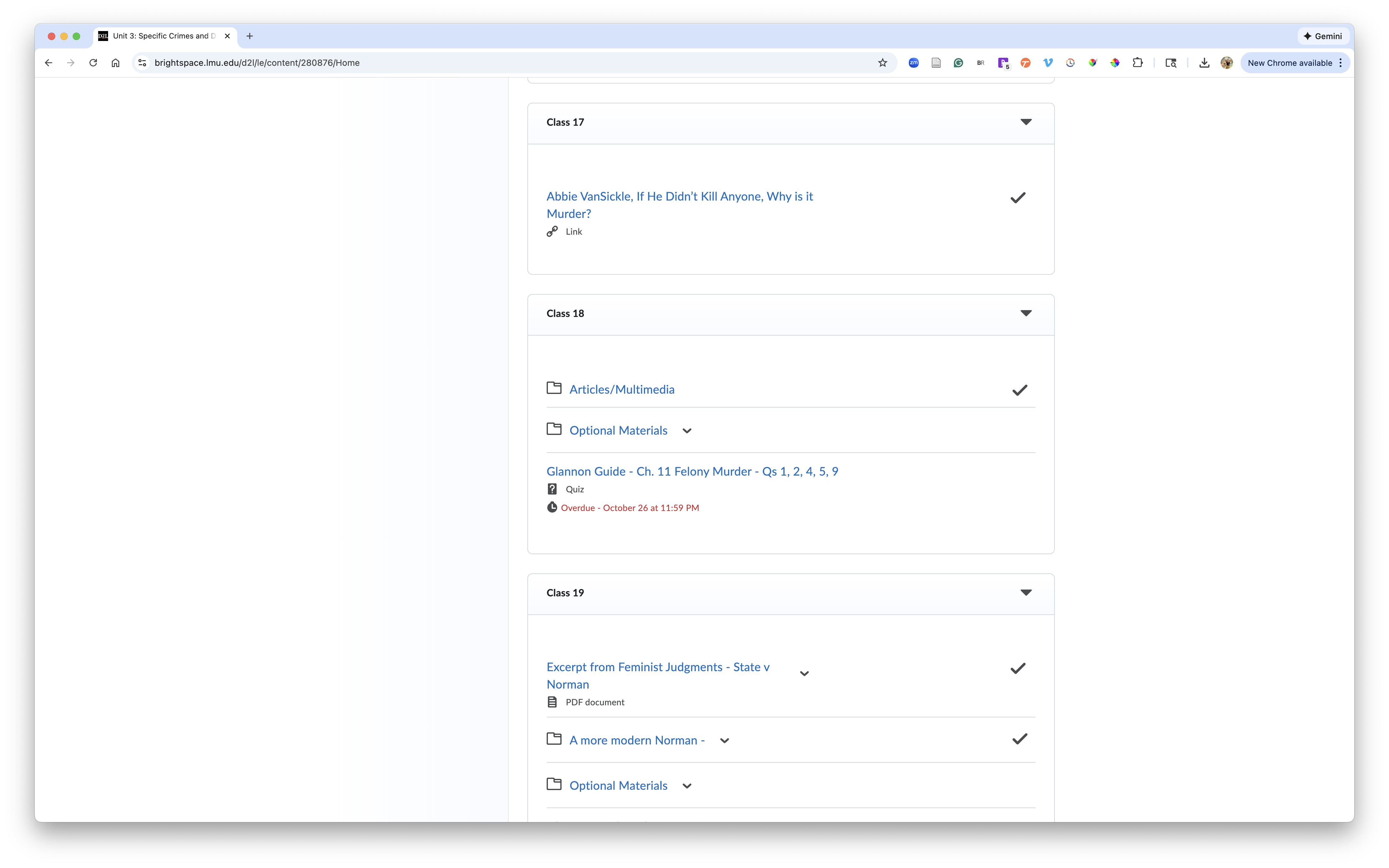
In one of our courses, we’re seeing a strange issue where a single assignment appears as “overdue” for all students in the Content area, even though every student submitted it before the due date. I impersonated eight different students, and the behavior is identical—only this one assignment shows the overdue message, while all other assignments look normal.
Follow-Up Issue:
We’re now noticing similar behavior with some quizzes:
- The quizzes are auto-graded and published to the gradebook.
- Some quizzes randomly display an “overdue” notice for students who completed attempts well in advance.
- Other quizzes show the correct behavior and simply display the due date.
Ask:
Has anyone else run into this?
If so, did you identify what caused it or find a workaround? Any insight would be greatly appreciated.
Answers
-
HeyElaine.C.420,
Based on what you’re describing, I think it would be a good idea to have a support agent take a closer look at things. This way we can check Quiz and Content settings further.
Your first step is to connect with your school or organization’s Help Desk to create a support request.
If you’re not sure how to do this, email us at questions@community .d2l.com with the name of your school or organization and we can provide the contact details.
Warm regards,
Michelle
-
We had this occur this month (January 2026) also. It resolved itself, though. Seems like a weird bug somewhere.


