Embedding PDFs to display in HTML

Marshall.H.1186
Marshall.H.1186 Posts: 6 🌱
edited March 19 in Corporate

Hello,

I am trying to embed PDFs in content pages, using creator plus elements like tabs. My issue is that my orgnization has disabled the ability to have browsers open PDFs (Firefox being the lone exception). I can get PDFs to display individually if I upload each using the add existing window drop area, but I have 30-50 documents to upload, and if I did this for everyone it would create a longer than desired menu to navigate.

I woudl like to embed the PDFs so that they display in the LMS without having to click anything (recognising the restrictions of my orgs browser settings). I would like to have it embed within a creator plus tab element like pictured, but not as a link (that given my current broswer settings also forces a download). Ideally I woudl like to embed at least one PDF into each tab
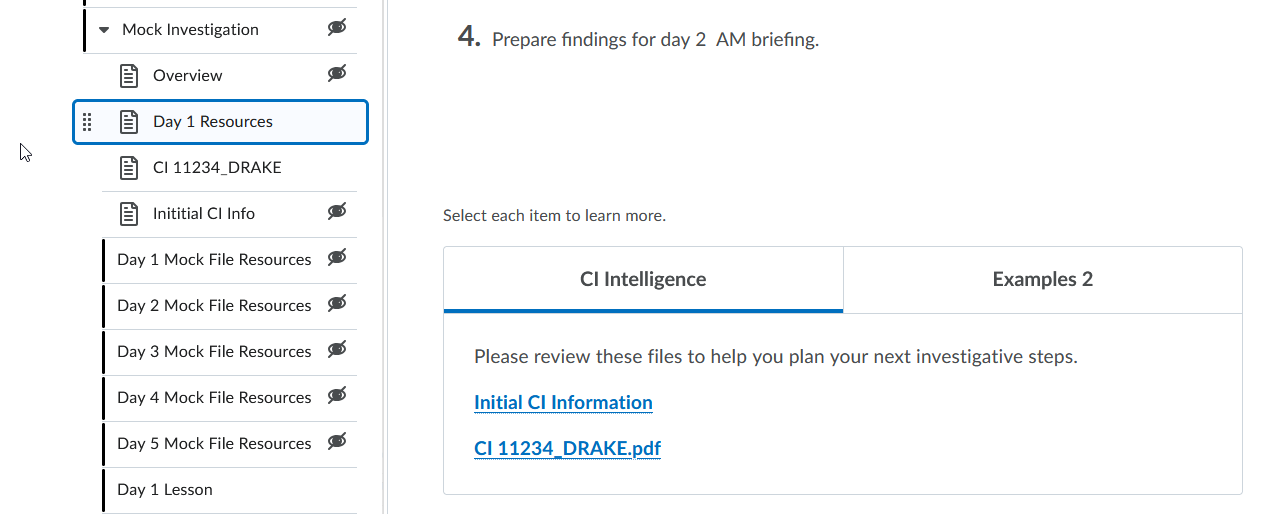
image.png

Like this user has done here within a simple page not using Creator plus content.
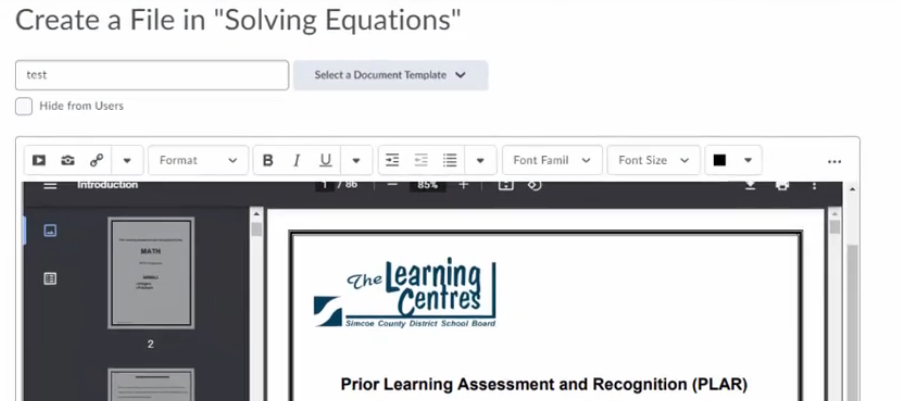
image.png

Is this possible within the Creater Plus content items, or even in a basic page?

Tagged:

Best Answer

  • Stephen.R.50
    Stephen.R.50 Posts: 70 image
    Answer ✓

    Hello @Marshall.H.1186, thanks for your question!

    It is possible to have a PDF file render directly on the Content page, even if you're using Creator+ Elements.

    Once you upload the file to your Manage Files area, you can edit the HTML of the Content page by selecting the </> button on the toolbar.

    Add this to your HTML, change "Path_of_File.PDF" to the path of that uploaded file, and this will enable the automatic rendering within that page:

    <p><iframe src="Path_of_File.PDF" width="100%" height="700px"></iframe></p>

    As an example, I uploaded a file named Lorem_ipsum.pdf to my test course. The path of that file, which you can get from Manage Files, would mean I need this new text:

    <p><iframe src="/content/enforced/12407-SR_1.0_/Lorem_ipsum.pdf" width="100%" height="700px"></iframe></p>

    You might need to play around with the width and height if you're embedding this into a Creator+ element.

    Please note, however, that this will not override a browser that forces files to be downloaded, and restricts the ability to have them open directly in the browser.

    Hope this helps!
    ~Stephen