Best Of

Re: Using the data hub to determine which courses are activated in a term
Hello @Chris.G.1055, thanks for your question!
The Brightspace Data Set "Organizational Units" is what you want to check. There's a field in that Data Set named "IsActive" which will be TRUE if the Course is active or FALSE if the Course is inactive.
One thing to note is that you may only receive a Full Data Sets once per week. This is indicated by "Data Last Generated" field next to the Data Set.
To get a more accurate picture of Course Offerings that had their status switched, you'll want to also download the Differential Data Sets to check what happened between Full Data Sets generations.
Hope that this helps! Let us know if you have any questions.
~Stephen

Re: Preserving Calculated Grade Items from Master to Instance
Thank you, Stephen, for looking into the issue. You confirmed our understanding of the current limitation in the export/import workflow. We will take a look at the Copy Course Block route you identified.

Re: Discussion Notifications
That pencil notification thing helps quite a bit, actually. I will keep an eye out for that, and send a suggestion to PIE.

Re: Preserving Calculated Grade Items from Master to Instance
Hi Stephen, thanks for the quick response.
My process goes through the package format: I export the master as a Brightspace Package and import that package into the session instance shell. I believe that explains what I am seeing, and I want to confirm my reasoning.
I inspected the exported grades_d2l.xml directly. A Calculated item (type_id=5) exports with the same skeleton as any other grade item (category, name, scoring) but with no element of any kind referencing its member items. I compared a full export against grades-only exports with and without source files included, and the gradebook XML was byte-identical in each case, so no export variant appears to carry the membership. The Valence API documentation also states that direct creation of grade object types 5 through 9 is not supported, so the wiring cannot be supplied programmatically either as far as I understand.
If that is right, then the membership is never serialized into the package, and no import setting can restore information that is not in the file. The item arrives as an unwired shell, which matches what we observe.
So two questions: (1) Does that match your understanding, i.e. is export/import a dead end for Calculated membership regardless of settings? (2) Is Copy Course Components the supported path here, and does it preserve the member selection, with the references remapped to the copied items? If so, we can restructure our master-to-instance process around copy instead of import. I plan to verify in a sandbox either way, but it would help to know whether that is the intended behavior.
Thanks again,
Roger
Re: Preserving Calculated Grade Items from Master to Instance
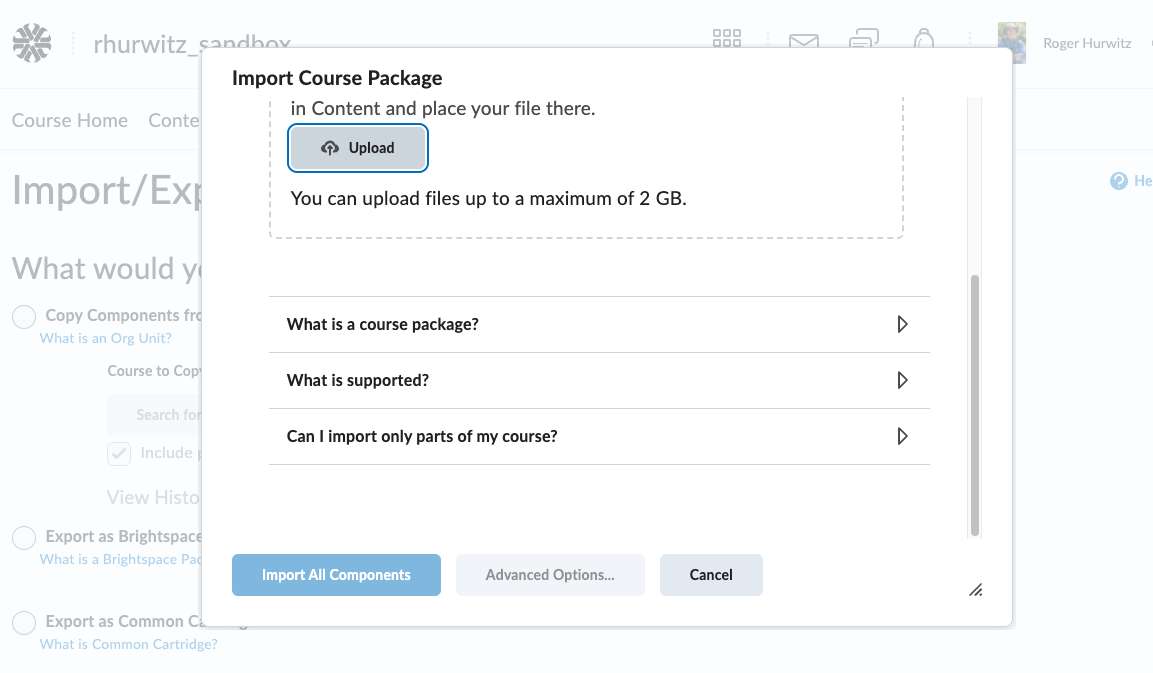
The process is straightforward - at least I think it is. ;^) We export a brightspace cartridge from shell A and then import it into an empty shell B. The calculated grade "wiring" does not survive the export, so that wiring is lost on import. We get the calculated grade items, but their connections to the other grade items are MIA.
Re: Archiving courses with student data
Hi Stephen,
Our reviewers want our faculty to walk them through the actual course. The data set will not meet this requirement. I would also like to add, as politely as I can, that this was not communicated to us during our RFP process when we asked about archiving. I was just told last week at our first monthly meeting with our rep.
Thanks,
Tonya

Re: Is it possible to remove Teams links from within Brightspace?
Thank you for reaching out to the Community.
Based on previous similar scenarios, at present, there is no option or button for Administrators to remove the residual broken links within Brightspace.
However, I kindly recommend opening a Support case for backend cleanup.
I hope this information helps!. Please feel welcome to reach out with more questions.
Best regards
Miguel B.

Award - Deadline as a release condition
I am creating badges for my students based on their completion of some tasks (e.g. quizzes). But I want to award the badges only to those who complete it by a deadline. How can I add date-related release conditions to the badges? Thanks.

Re: Welcome to Creator +
Just completed the Creator+ Instructional Design Best Practices course. Can't wait to start exploring all the elements of creator+ and H5P.
