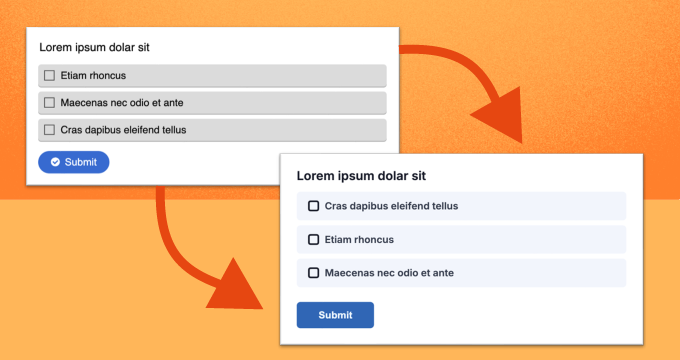
H5P has launched a modernized, more accessible content experience — and it brings H5P visually closer to Brightspace.
What’s changing?
- Cleaner layouts and improved typography
- More consistent interactions across content types
- Preset and custom themes (brand-aligned)
- Automatic WCAG 2.2 AA colour contrast compliance
- Adjustable density for spacing/readability
When enabled, the selected theme and density apply across the organization to all supported content (including Interactive Book). Authoring workflows remain unchanged.
How it’s enabled
- Managed in H5P.com (not directly in Brightspace).
- Controlled by users with the H5P Admin role
- Visibility options:
- Off (default)
- Admins only (recommended for testing)
- or Everyone
- Existing accounts default to Off so we can preview and test before rollout. New accounts have it enabled by default.
The following GIF demonstrates how this is enabled on H5P.com.
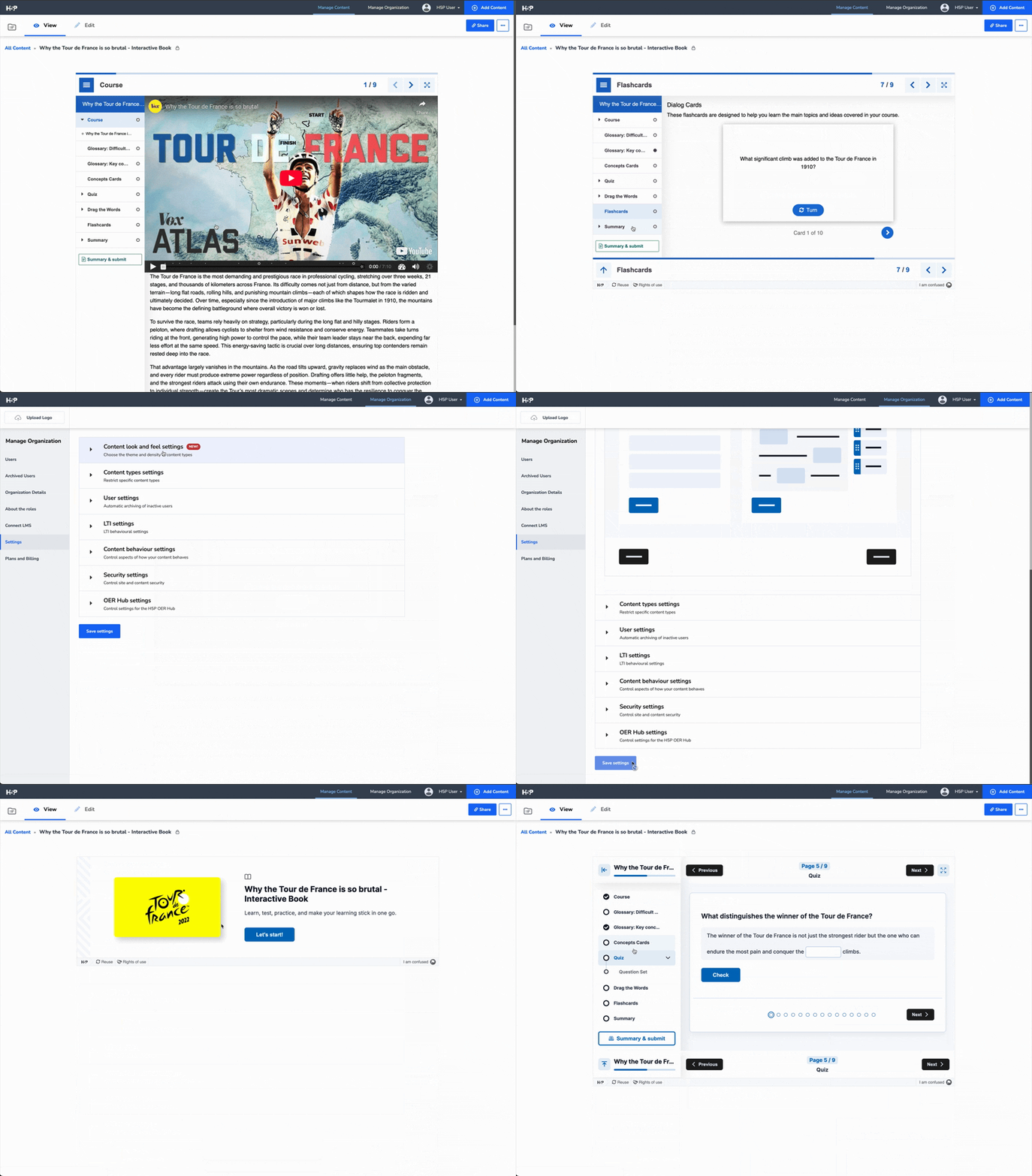
To view a comprehensive enablement guide, check out this article on H5P.com - New Content Look and Feel
Overall, this is a strong step toward a more cohesive Brightspace experience and a more polished learner journey. More details available in the release note.