
In web design, an image carousel is used to display images in a slideshow format. This is a common element that can be found on almost any website (look for it at the bottom of the Brightspace Community homepage!).
Image carousels are also common in learning design. So, it’s no surprise that Creator+ offers not one, but two image carousel tools: the Creator+ Carousel and the H5P Image Slider.
These tools are similar but have some important functional differences. In this article, I’ll showcase both options, explore the differences, and provide an example of each.

Creator+ Carousel
Creator+ Carousels are part of the Insert Element feature. Carousels are native to Brightspace and built using Brightspace design standards. You can expect a clean design that loads instantly on any page.
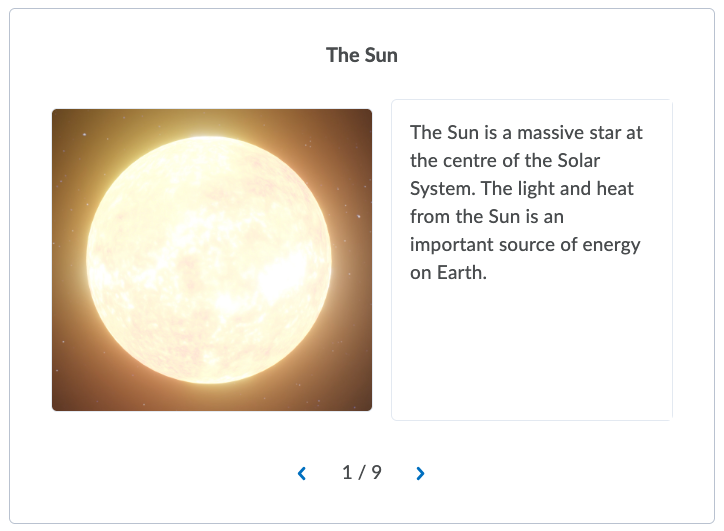
A Creator+ Carousel sits within a container with a light border. It can display a single image, text, or text and images. If you are opting for text and images, the image will appear on the left and the text on the right.
Here is an image of a Creator+ Carousel as it would appear in a Brightspace page.
Choose Creator+ Carousel if…
- You want a seamless experience: The Creator+ Carousel was made for Brightspace. It follows Brightspace design conventions and will instantly load on any content page.
- You want to display images and text: Designers can showcase images, text, or both in their Carousel. This provides more options than the H5P Image Slider, which can only present images.
- You are working with “square” images: Carousel works best with “square” orientation images

H5P Image Slider
The Image Slider is part of the H5P suite of interactives. They come with all the benefits of other H5P interactives, including shareability, file management, and a built-in community of exemplars.
In an H5P Image Slider, the chosen image will span the entire frame, with clickable dots to advance left or right. It can display images only, with no option for standalone text.
Here is an example of an H5P Image Slider, taken from our Creator+ Best Practices course.
Choose the H5P Image Slider if…
- You want to showcase a large image: Image Slider takes up more page space than Creator+ Carousels. This fuller display can help showcase larger images in more detail. Keep image resolution in mind before embedding.
- You have a lot of images and want easier navigation: Image Slider provides some navigation advantages over Creator+ Carousel. Users can instantly navigate to any slide by selecting from the dots under an image (see above). With a Creator+ Carousel, users must navigate in a sequence.
- You want to easily reuse your interactive easily: As with any H5P interactive, Image Sliders are saved into H5P’s content management system. You can easily reuse your interactive across courses and share editing privileges with others.
- You are working with “horizontal” images: Image Slider works best for displaying “horizontal” orientation images.

Summary
Course creators can’t go wrong with either an H5P Image Slider or a Creator+ Carousel. However, if you need some quick guidance, keep these points in mind before choosing with tool.
Creator+ Carousel:
- Is native to Brightspace
- Displays images AND text
- Works best with “square” images
H5P Image Slider if
- Has a larger frame
- Allows for instant navigation to other slides
- Is shareable across your organization through H5P.com
- Works best with “horizontal” images
We recommend you experiment with both options to see which one you prefer. If you’d like to learn more, explore our Carousel and Image Slider resources on the Creator+ Instructional Design Best Practices course.
Do you have any questions about these tools? Ask your question in the comment section below and we’ll help you out.