
Changes in the Microsoft 365 File Picker Workflow


What’s happening with the new Microsoft 365 integration to Brightspace?
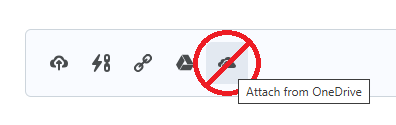
Have you tried migrating from the Office 365 (LTI 1.1) integration to the new Microsoft 365 (LTI 1.3) integration in Brightspace? If so, and if you followed the instructions provided by Microsoft, upon disabling the LTI 1.1 integration you may have noticed that learners and instructors no longer find Microsoft OneDrive among the document sources. Does this mean you can no longer upload files from OneDrive? No. While OneDrive may no longer appear as a standalone document source after disabling the legacy LTI 1.1 integration, the ability to upload files from OneDrive is still available.
What can we do about it now?
This change is caused by adherence to the LTI 1.3 standards in the new integration. The OneDrive File Picker in the Office 365 integration relied on LTI 1.1 tools which have not yet been redeveloped for the Microsoft 365 integration.
You can read more about it and how learners and instructors can still upload files to Brightspace from OneDrive in this Community article.
When to Reach Out to D2L or our Partners
If you’re unable to complete the new Microsoft 365 LTI integration you can reach out to your Customer Success Manager or the D2L Support Portal (ASCs only).
For additional information, please see the following resources: